You apply for Canada’s eTA (Electronic Travel Authorization) on the Government of Canada’s website, canada.ca, and it costs CA$71 (about £4). It takes a few minutes, but the form can’t be saved, and a mistake in your passport number can stop you boarding your flight. This guide goes through the form field by field, with what to enter on a British passport.
The eTA is for travel to Canada. It isn’t the UK’s own ETA, which visitors from other countries need to come to the UK. To check whether you need an eTA at all, see Canada visa requirements for UK citizens.
Key facts
- Where
- Only on the Government of Canada’s website, canada.ca. The form itself is on a cic.gc.ca address you reach from there.
- Fee
- CA$7 (about £4) per person, children included. Non-refundable.
- Decision
- Most applications are approved within minutes. If you’re asked for documents, you get an email with instructions within 72 hours.
- Validity
- 5 years, or until your passport expires2, whichever is sooner. You can use it for any number of short trips, normally of up to 6 months each.
- Only by air
- You need it to fly to Canada or change planes at a Canadian airport. You don’t need it if you arrive by car, bus, train or boat, including on a cruise.
Only canada.ca charges CA$7. Search for “Canada eTA” in the UK and most of the top results are private websites with official-looking names that charge much more for the same form. The Government of Canada’s page says: “This is the Government of Canada’s official website to apply for an eTA. It only costs CAN$7.” If you’re asked to pay more, you’re not on the official website.
Do you need an eTA?
Yes, if you have a British citizen passport and you’re flying to Canada for a holiday, to visit family or friends or for business, or changing planes at a Canadian airport.
No, if:
- you arrive by car, bus, train or boat, for example from the US. Your passport is enough. If you’ll also take a flight into Canada on the same trip, you need one;
- you’re also a Canadian citizen: you must travel on a valid Canadian passport, and you can’t use an eTA;
- you already hold a valid Canadian visitor visa, or a work or study permit (an eTA comes with the permit).
An eTA doesn’t let you work or study in Canada. If you have a criminal record or have been arrested, the FCDO advises contacting the Canadian High Commission in the UK before you travel, as you may not be eligible to enter.
Before you start
Have these ready:
- The passport you’ll travel with. Everything is copied from the photo page. Your eTA is linked to this passport.
- An email address you can open: the decision only arrives by email.
- A card: Visa, Mastercard, American Express (prepaid ones too), Visa Debit, Debit Mastercard, UnionPay or JCB.
- Your job details: your employer’s name, town and the year you started. If you’re a student, your school or university.
- Your flight date and time, if you know them. You can leave them out if you don’t.
Three things to know before you open the form:
- One person at a time. Each traveller needs their own eTA, children included, and each is filled in and paid for separately. A family of four fills in the form four times.
- It can’t be saved. There’s a time limit. If a Session timeout warning appears, click Continue session. If you close the page, you lose everything.
- Apply before you book. Most eTAs arrive in minutes, but if you’re asked for documents, it can take days.
Step 1: Open the official form
The screenshots are from the official website, taken in November 2026 (the payment page and the approval email are from an earlier application, with no personal details). In them, Clara is applying with a Spanish passport: where she chooses Spain, you choose the United Kingdom.
Start on the eTA page on canada.ca and click Apply for an eTA at the bottom. The next page has the important reminders: watch out for scams, one person at a time, an eTA isn’t a work or study permit, print your receipt straight away (you can’t get it later) and you’ll only hear back by email (check your junk folder). Click Get final instructions to apply for an eTA.
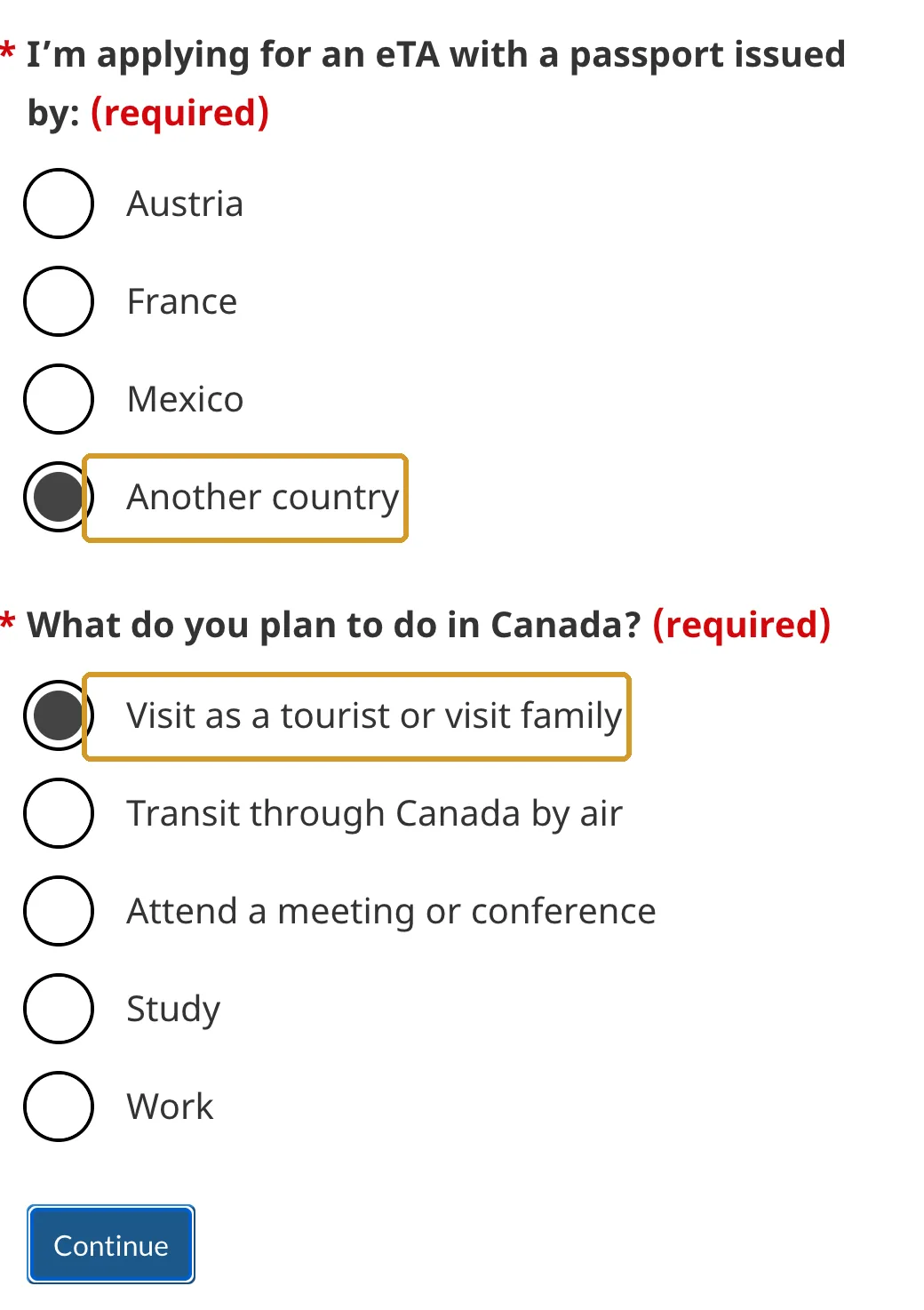
The website then asks which country issued your passport and what you plan to do. Only Austria, France and Mexico have their own option: with a British passport, choose Another country and, for a holiday or visiting family, Visit as a tourist or visit family. Click Continue.
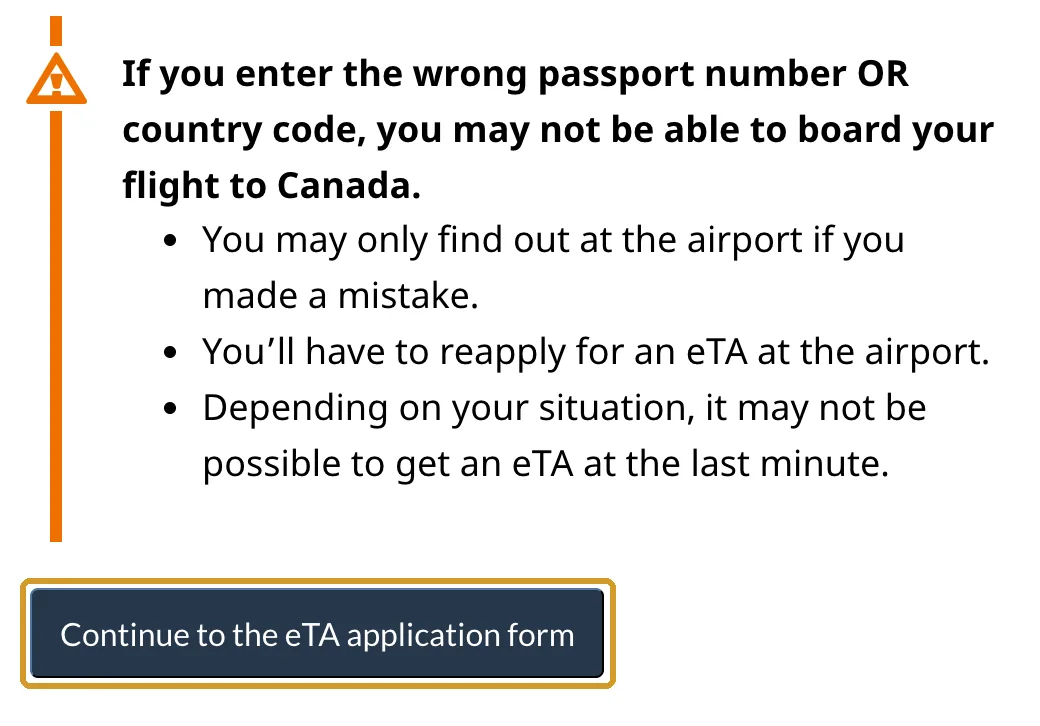
Below that are the instructions for entering your passport number and a warning: if the number or the country code is wrong, you may not be able to board. Click Continue to the eTA application form.
If many people are applying, a virtual waiting room may appear. Don’t close the page: the form opens when it’s your turn.
Step 2: For you or for someone else?
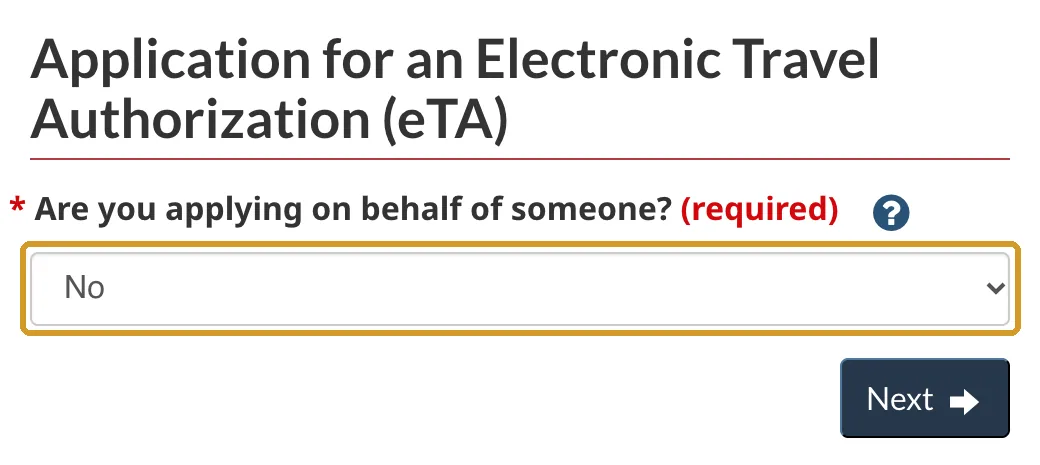
The first question is Are you applying on behalf of someone?
- No, if you’re applying for yourself.
- Yes, if you’re applying for your child, another relative or a friend. It asks for your details first and then the traveller’s. You can use your own email address for your children’s eTAs.
Click Next. From here, the whole form is on one page that shows more fields as you answer.
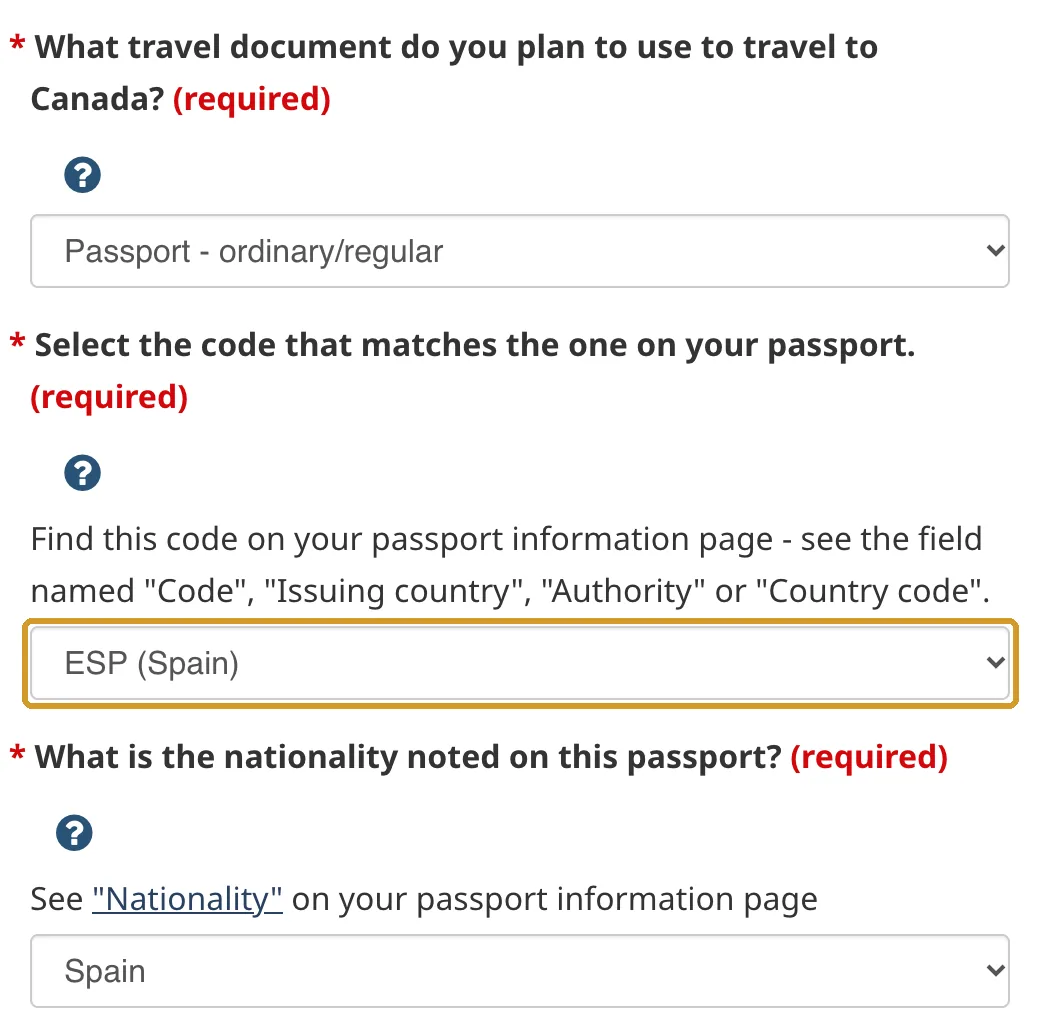
Step 3: Passport details
This is the part to get exactly right: if your passport number or country is wrong, you may only find out at the airport.
| Field | What to enter |
|---|---|
| What travel document… | Passport - ordinary/regular |
| Select the code that matches the one on your passport | GBR (UK - British citizen) |
| What is the nationality noted on this passport? | UK - British citizen |
| Passport number | The number at the top of your photo page. Twice |
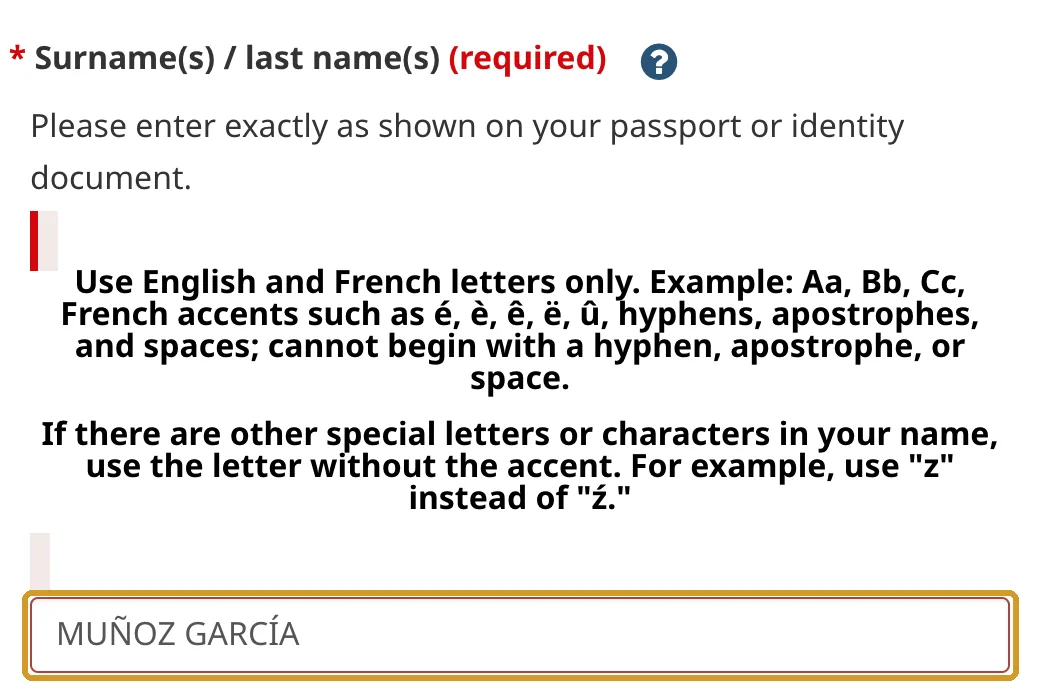
| Surname(s) / last name(s) | As in your passport |
| Given name(s) | All your given names, as in your passport |
The list has separate codes for British National (Overseas), British overseas territories citizens, British overseas citizens, British protected persons and British subjects. Choose the one that matches the code printed on your passport; this guide is for British citizen passports (GBR).
To avoid mistakes:
- The passport number is the one at the top of the photo page. Type it without spaces, and watch the letter O and the number 0. You can’t copy and paste it the second time.
- Names in the same order as in your passport. The form only accepts English letters and French accents.
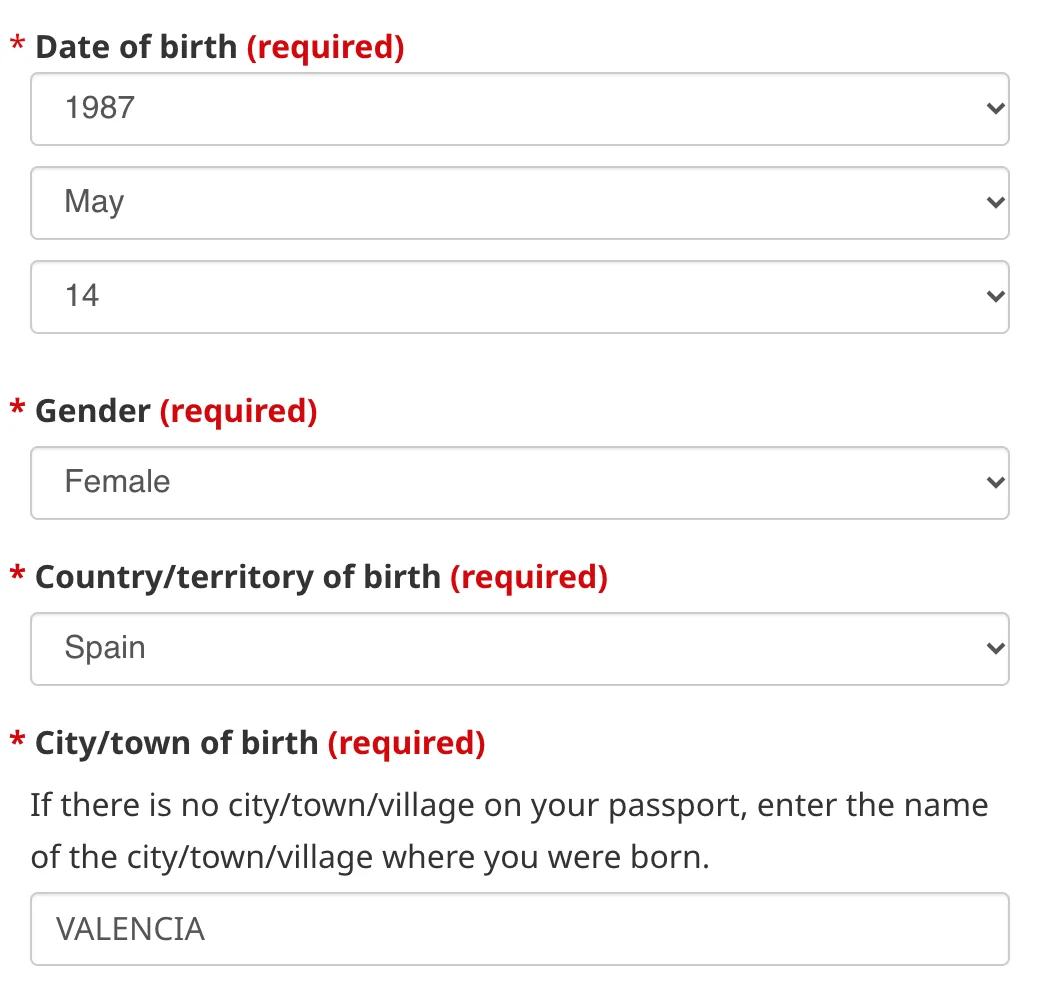
Then your date of birth (the months are in words), gender, and country and town of birth as in your passport. After that, the date of issue and date of expiry of your passport. It’s easy to mix them up: the expiry date is the later one.
Step 4: Personal details and job
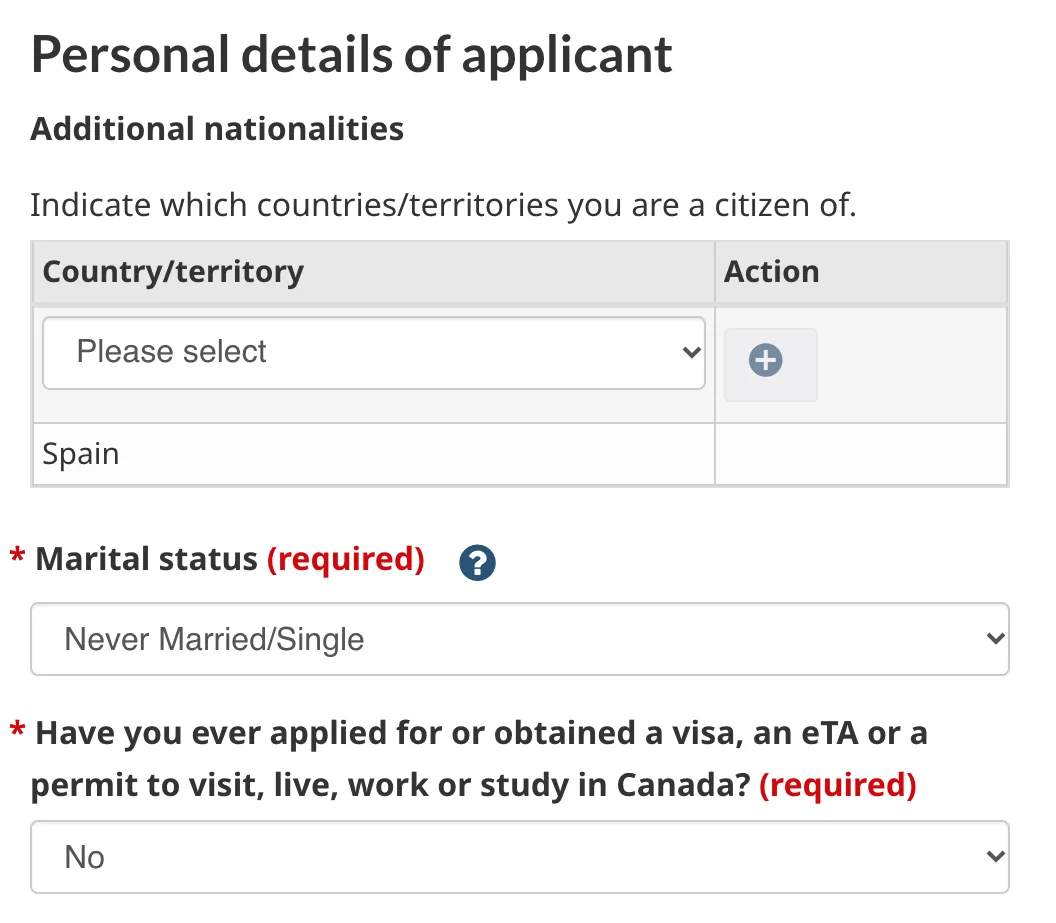
Additional nationalities: add another nationality only if you have one. If one of them is Canadian, stop: you must fly on a Canadian passport.
Marital status: Never Married/Single, Married, Common-Law (living together for at least a year), Divorced, Legally Separated, Widowed or Annulled Marriage.
Have you ever applied for or obtained a visa, an eTA or a permit to visit, live, work or study in Canada? If you answer Yes, an optional field appears for your client number (UCI) or previous eTA or visa number.
Occupation and job title: choose the closest options from the lists, then your employer’s name, country, town and the year you started. If you’re retired, unemployed or a homemaker, choose that occupation and the form asks nothing more about work. Students give their school or university, country, town and start year.
Step 5: Contact details and address
Preferred language to contact you: English or French. Then your email address, twice. Check it carefully: your eTA, or any request for documents, is sent there.
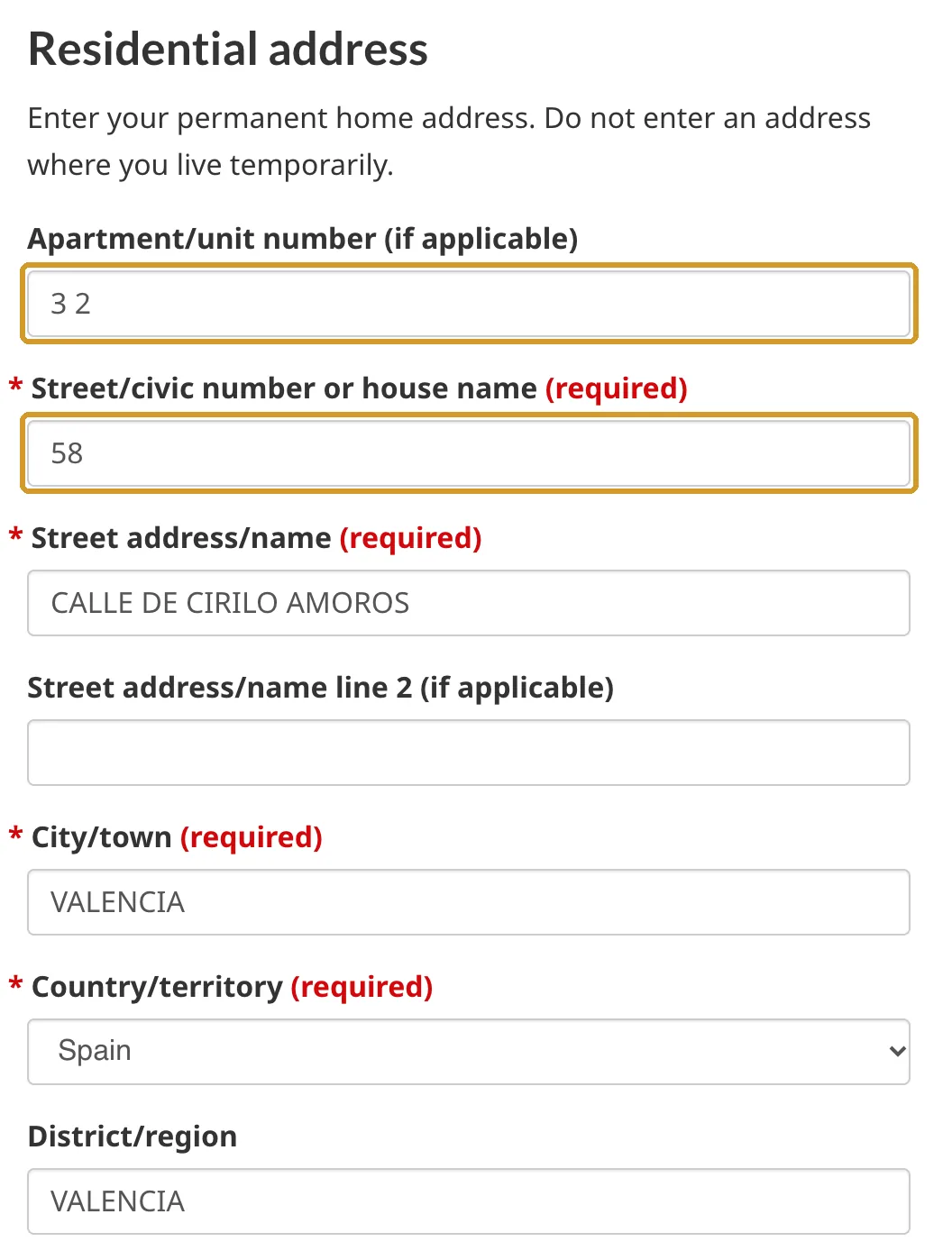
Residential address: your permanent home address, not a PO Box. There’s a field for Street/civic number or house name, so a house name works. Then the street, the town or city, the country (United Kingdom) and, optionally, the county in District/region.
Step 6: Travel
Do you know when you will travel to Canada? If not, answer No and carry on. If you answer Yes, enter the date and time your flight leaves, even if approximate, and the time zone, chosen from a list.
Step 7: Background questions
Four yes-or-no questions: whether you’ve ever been refused a visa or permit, denied entry to or ordered to leave Canada or another country; whether you’ve ever committed, been arrested for, charged with or convicted of a criminal offence in any country; whether you’ve had tuberculosis or been in close contact with someone who had it in the past two years; and whether you have any of the listed medical conditions (None of the above if not).
Answer truthfully. If you answer Yes, a box opens for the details: the country, the date and what happened.
Step 8: Sign and pay
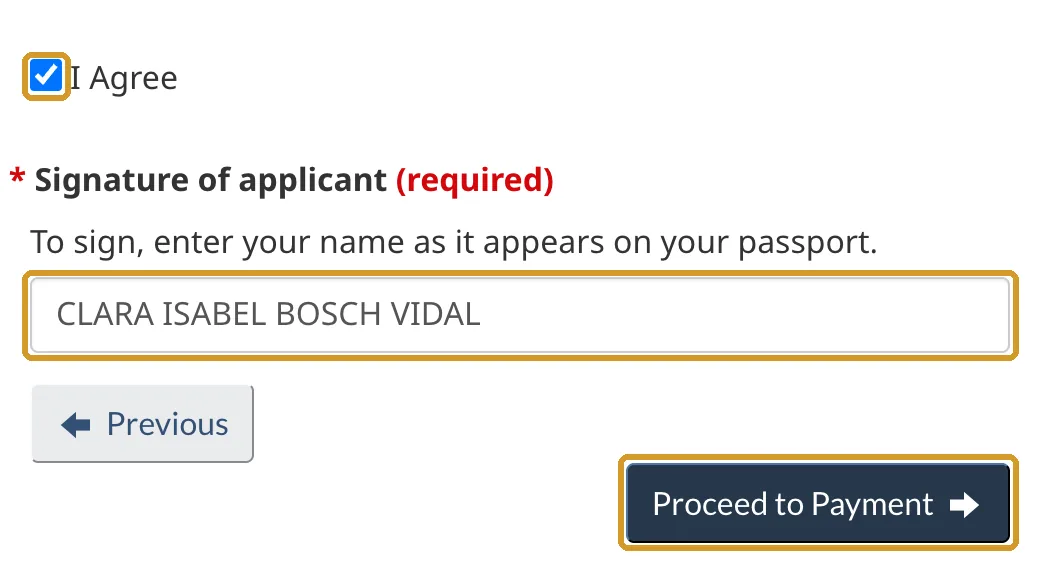
Tick I Agree and sign by typing your full name as it appears in your passport. If you’re applying for someone else, use their name. Before you go on, scroll back up and check everything, especially the passport number and email address. Then click Proceed to Payment.
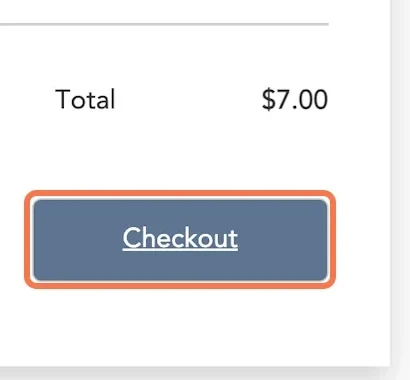
On the payment page, enter a contact email and your card details. The total is CA$7 (about £4): click Checkout to confirm. You pay in Canadian dollars, so the amount in pounds depends on your card provider’s exchange rate and fees.
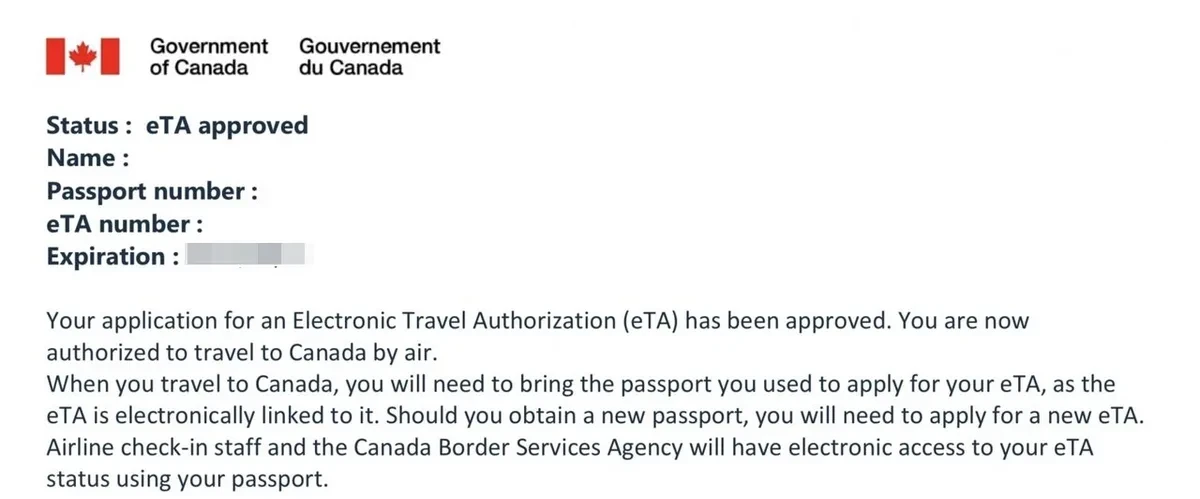
As soon as you’ve paid, save or print the receipt on screen: the Government of Canada says you can’t get it later.
After you pay
- An email confirms that your application was received, with an application number starting with V. Keep it.
- Usually within minutes, the approval email arrives, with your eTA number. If your application needs more time, you get an email within 72 hours with the next steps or the documents you need to send. Check your junk folder too.
- Check the passport number in the approval email. If it doesn’t match your passport exactly, apply again.
To check your status or when your eTA expires, use the official status check with your passport details.
You don’t need to print anything to fly. Your eTA is linked to your passport: the airline sees it when it scans your passport at check-in. When you land, a border services officer decides whether you can enter and for how long, normally up to 6 months. The FCDO says officers may ask for a return or onward ticket and proof that you can support yourself.
Mistakes that can stop you boarding
- A passport number typed wrongly, such as an O instead of a 0. Check it before you pay and again in the approval email.
- Applying with your old passport. A new passport needs a new eTA.
- Leaving it to the last minute. If documents are requested, it can take days.
- Choosing the wrong country code. For a British citizen passport, it’s GBR.
- Mixing up the date of issue and the date of expiry.
- A typo in your email address, where your eTA and any requests arrive.
- One eTA for the whole family. Each traveller needs their own.
- Paying on a website that isn’t canada.ca. If you’re charged more than CA$7, it isn’t the official website.
Frequently asked questions
Do UK citizens need an eTA for Canada?
Yes, if you fly to Canada or change planes at a Canadian airport. You don’t need a visa for a short visit, but the airline checks your eTA before you board. By land or sea, you only need your passport.
How much does a Canada eTA cost?
CA$7 (about £4) per person on the official website, children included. It’s paid by card and isn’t refunded.
How long does it take to get an eTA?
Most applications are approved within minutes. If you’re asked for documents, you get an email within 72 hours, and it can take several days. Apply before you book your flight.
Can I fly to Canada without an eTA?
Not on a British passport, unless you hold a valid Canadian visa or permit. The airline won’t let you board without one.
Can I get an eTA at the airport?
The eTA is only issued through the online form, which you can fill in from anywhere, including on your phone. Most are approved within minutes, but some take days, so don’t count on a last-minute application.
How long is a Canada eTA valid?
5 years, or until your passport expires, whichever is sooner. You can use it for any number of short trips.
Who is exempt from the eTA?
Among others, people arriving by land or sea, Canadian citizens (including British-Canadian dual nationals, who must use a Canadian passport), and people with a valid Canadian visa or permit.
Do I need an eTA to transit through Canada?
Yes, if you change planes at a Canadian airport, even if you don’t leave it.
I renewed my passport. Do I need a new eTA?
Yes. Your eTA is linked to the passport you applied with, so you need a new one with your new passport.
Do children need an eTA?
Yes, each child needs their own. A parent applies by answering Yes to the first question. A child travelling alone or with only one parent should carry a letter of consent from the parent or parents who aren’t travelling.
Is the Canada eTA the same as the UK ETA?
No. The Canada eTA is for travelling to Canada. The UK ETA is the UK’s own travel authorisation for visitors from other countries; British citizens don’t need it.
Does an eTA guarantee entry to Canada?
No. When you arrive, a border services officer checks your passport and decides whether you can enter.
Apply yourself or use a visa service? Compare the government fee with what each visa service charges, online or in person, on the Canada visa page.
Sources
Where the information in this guide comes from, with the date we last checked it: official websites for fees and rules, and each visa service’s website or Google Maps listing when we give its prices or reviews. The numbers match the superscript numbers in the text.
- 1.Government of Canada (IRCC): Apply for an eTA. canada.ca · checked on 11 November 2026
- 2.Government of Canada (IRCC): Electronic Travel Authorization (eTA) facts. canada.ca · checked on 2 November 2026
- 3.Government of Canada (IRCC): Important reminders – apply for an eTA. canada.ca · checked on 23 October 2026
- 4.Government of Canada (IRCC): official eTA application form. eta.onlineservices-servicesenligne.apps.cic.gc.ca · checked on 23 October 2026
- 5.Government of Canada (IRCC): eTA, after you apply. canada.ca · checked on 17 October 2026
- 6.HMRC: currency exchange monthly rates, November 2026 (pound equivalents). trade-tariff.service.gov.uk · checked on 17 November 2026
- 7.FCDO: Canada entry requirements (GOV.UK). gov.uk · checked on 16 November 2026