U.S. citizens don’t need a visa to visit the UK, but they do need an electronic travel authorization (ETA), which isn’t a visa. It covers England, Scotland, Wales, and Northern Ireland for tourism, visiting family and friends, business trips, and short courses. You apply only in the official UK ETA app or on the UK government’s website, GOV.UK, and it costs £201. The U.S. Embassy in London warns that, since February 25, 2026, your airline may deny you boarding, or the UK may deny you entry, if you don’t have an approved ETA.
This guide walks you through both ways to apply, screen by screen, and covers the cases people ask about most: layovers, kids, dual citizens, green card holders, and criminal records.
Not sure whether an ETA is enough for your trip? See the UK visa page for U.S. citizens.
Key facts
- Where to apply
- Only in the UK ETA app (App Store and Google Play) or on gov.uk/eta. You do not go to an embassy or a visa center.
- Government fee
- £20 per person, including babies and children. It is nonrefundable, even if your application is denied.
- Processing time
- Up to 3 business days2. GOV.UK says you usually get a decision within a day.
- Validity
- 2 years, multiple entries2 (or until your passport expires, if that is sooner). Each visit can last up to 6 months.
- Passport
- Your U.S. passport, valid for your whole stay. The ETA is linked to the passport you apply with.
- At the border
- You only show your passport. U.S. passport holders can use the ePassport gates.
Do you need a UK ETA?
Yes, if you’re traveling to the UK on a U.S. passport for up to 6 months for tourism, to visit family or friends, for a business trip or conference, or for a short course. Babies and children need their own ETA. The same ETA also covers Jersey, Guernsey, and the Isle of Man.
The U.S. Embassy in London announced that, starting February 25, 2026, U.S. citizens would need an ETA, including when transiting the UK (see Layovers in the UK for when you don’t). The State Department’s Country Information page for the UK also says you need an ETA before you travel.
You don’t need an ETA if:
- You’re also a British or Irish citizen (see below).
- You have a UK visa or permission to live, work, or study in the UK, including settled or pre-settled status or the right of abode.
- You have permission to live, work, or study in Jersey, Guernsey, or the Isle of Man.
- You’re changing planes in the UK without going through border control (airside transit). Check with your airline if you’re not sure.
- You live in Ireland and you’re traveling from Ireland, Guernsey, Jersey, or the Isle of Man. If you’re 16 or older, bring an original Irish document that shows you live there, such as an Irish driver’s license or an Irish Residence Permit.
If you’re vacationing in Dublin and then taking the train or bus to Belfast, you need the ETA. The Ireland exemption applies only to people who live in Ireland.
Dual U.S. and British or Irish citizens
If you’re also a British or Irish citizen, you can’t get an ETA. Travel with your British or Irish passport, or with your U.S. passport and a certificate of entitlement to the right of abode in the UK. The U.S. Embassy in London warns that since February 25, 2026, you may be denied boarding if you don’t have one of these.
You may be British without knowing it. GOV.UK says you may have British citizenship automatically if you were born in the UK or have a British parent, and it has a tool to check if you’re a British citizen.
Green card holders
What you need depends on the nationality on the passport you travel with, not on where you live. Living in the U.S., with or without a green card, doesn’t exempt you from the ETA. If your passport is from a country on GOV.UK’s list of ETA nationalities, you apply for an ETA. If it isn’t, you may need a visa. Check with GOV.UK’s visa tool before you book.
What you can and can’t do with an ETA
You can enter the UK as many times as you want while your ETA is valid, for up to 6 months each time. You can:
- travel for tourism and visit family or friends;
- go on a business trip, for example to meetings or a conference;
- take a course of up to 6 months, such as a language course;
- do certain arts or sports work for up to 3 months under the Creative Worker visa concession;
- take part in a permitted paid engagement, such as a talk you’ve been invited to give;
- transit through a UK airport when you go through border control.
You can’t do paid or unpaid work for a UK company or as a self-employed person (other than the activities above); stay longer than 6 months; live in the UK through frequent or back-to-back visits; claim public funds (benefits); or get married or register a civil partnership. To get married in the UK, you need a Marriage Visitor visa.
Before you start
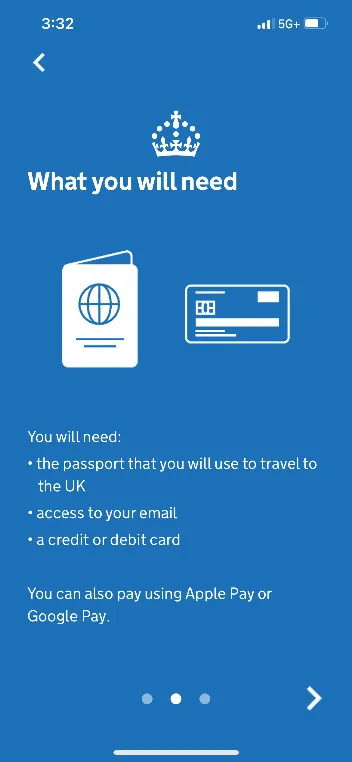
Have these ready:
- The passport you’ll travel with, the original. It must be valid for your whole stay in the UK.
- An email address you can check. Your security code and your decision go there.
- A way to pay: a credit or debit card, Apple Pay, or Google Pay.
- Your home address, details about your job, and details of any criminal convictions.
Three things to know first:
- Apply early. You usually get a decision within a day, but GOV.UK says to allow up to 3 business days. Apply before you book anything you can’t change.
- One ETA per person, including babies and children, and only one application per person. If you submit it twice, you pay twice. You can apply for other people. In the app, they need to be with you, because the app scans their face. If they aren’t, use the website. For children, you’ll be asked for a parent’s or guardian’s contact details.
- If you have a criminal record or you’ve been denied entry to the UK before, read If your ETA is denied first. You may be better off applying for a Standard Visitor visa from the start.
Watch out for copycat sites. Other websites may charge more for the same application, and GOV.UK says you can’t get a faster decision through another website or app. The official ETA costs £20. The official online form starts at gov.uk/eta and then continues on a homeoffice.gov.uk web address.
App or website?
Both cost the same, ask the same questions, and get you the same ETA. The difference is the photos.
| UK ETA app | Website (GOV.UK) | |
|---|---|---|
| Device | iPhone 7 or newer, or an Android phone with Android 12 or later and NFC | Computer, tablet, or phone |
| Passport | Photo of the data page, then the app reads the chip | Photo of the data page |
| Face | Live face scan (age 10 and up) and a photo | Upload a photo that meets the rules |
| Applying for others | Only if they are with you | Even if they are not with you |
If your Android phone can make contactless payments, it has NFC. If the app doesn’t work on your phone, apply on the website.
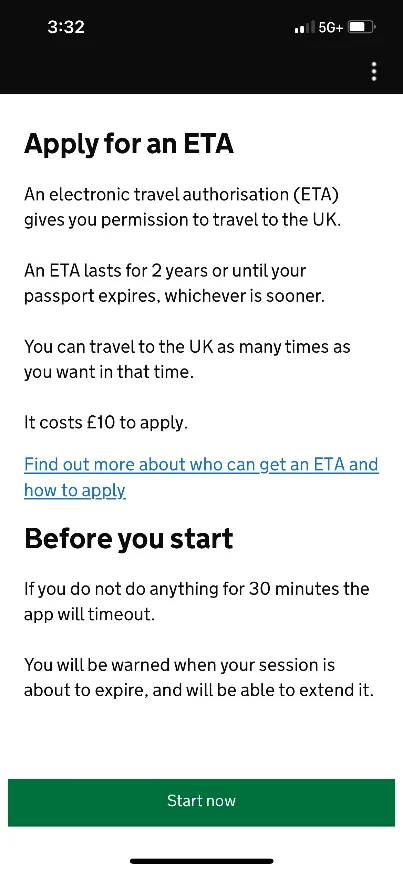
The screenshots were taken when the fee was £10. Where they show £10 (or the same amount in another currency), the government fee is now £20.
Video: how to apply
The UK’s Home Office has published an official video on how to apply.
Applying in the UK ETA app, step by step
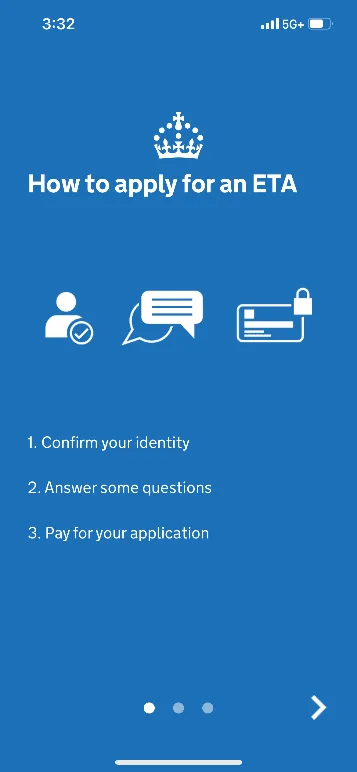
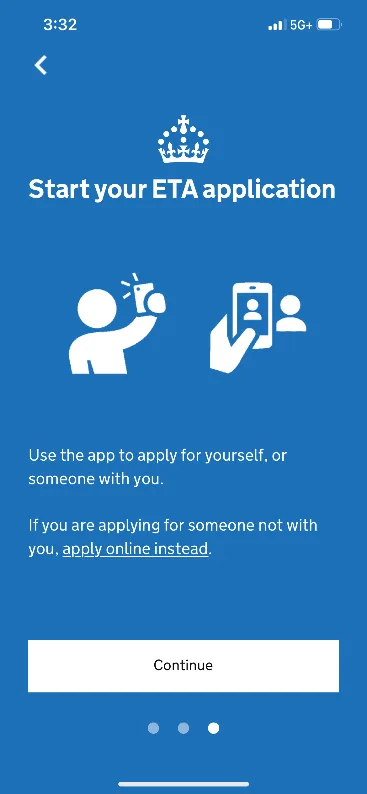
1. Open the app and accept the terms
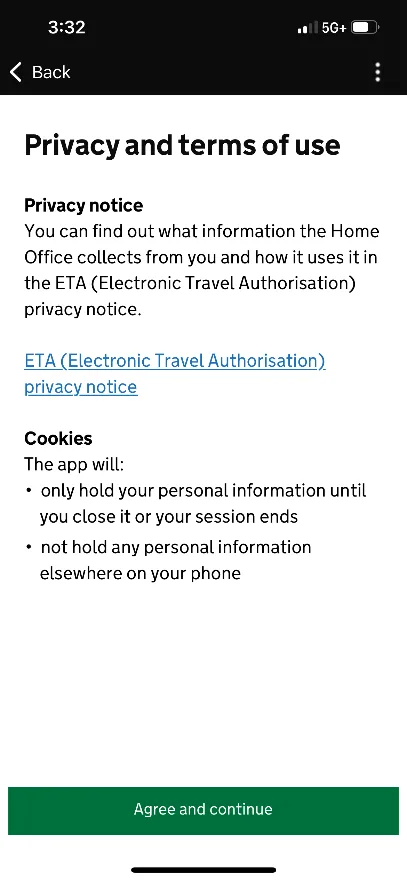
Download the Home Office’s official UK ETA app from the App Store or Google Play. Open it, tap Start now on the information screens, and accept the terms with Agree and continue.
2. Email address and phone number
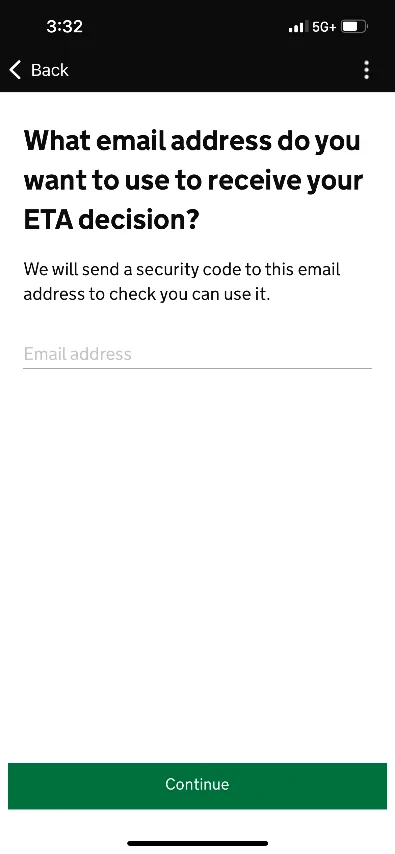
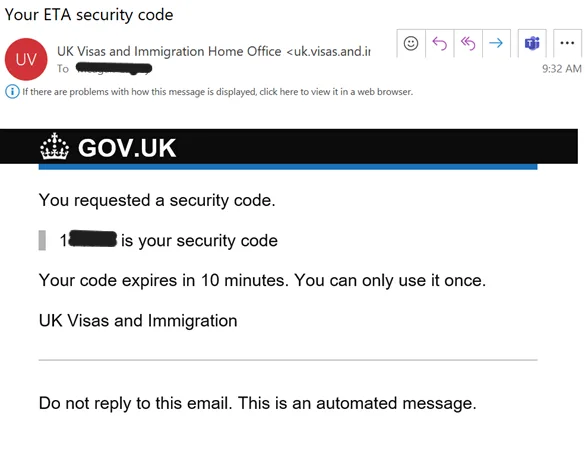
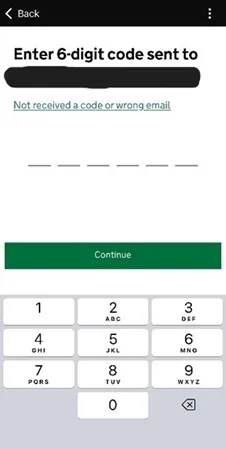
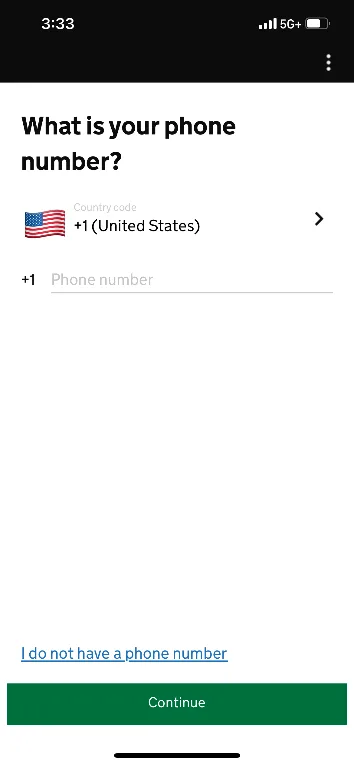
Enter your email address, open the message with the security code, and type the code into the app. Then enter your phone number. Double-check the email address: your code and your decision are sent there.
3. Passport photo and chip
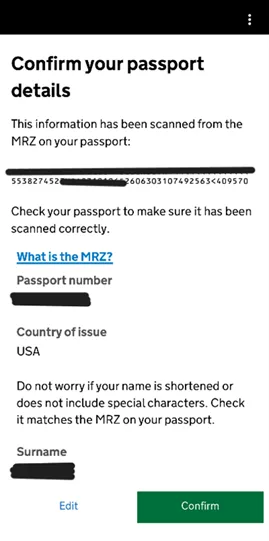
Take a photo of your passport’s data page, with the whole page in the frame and in focus. If it doesn’t work, hold the phone a little farther away.
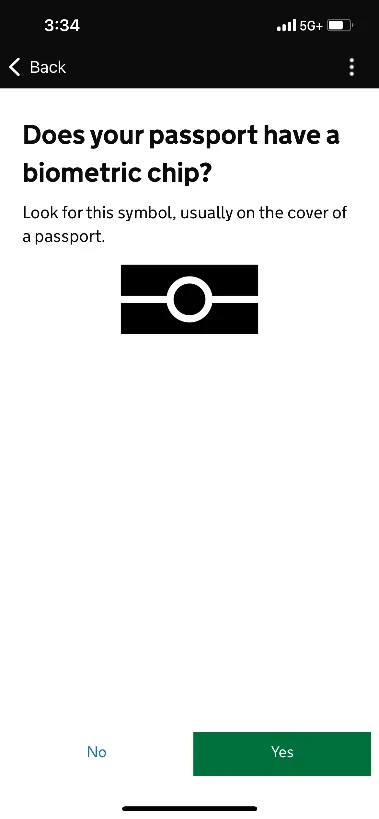
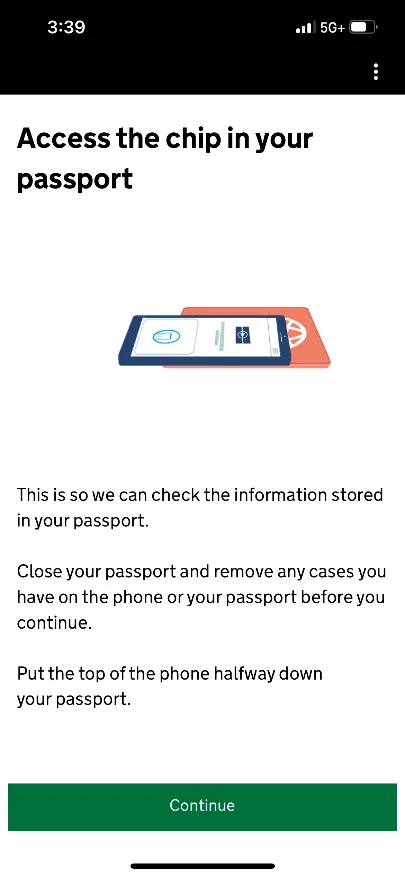
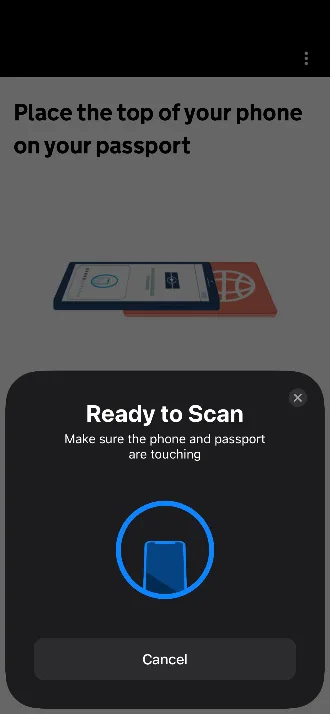
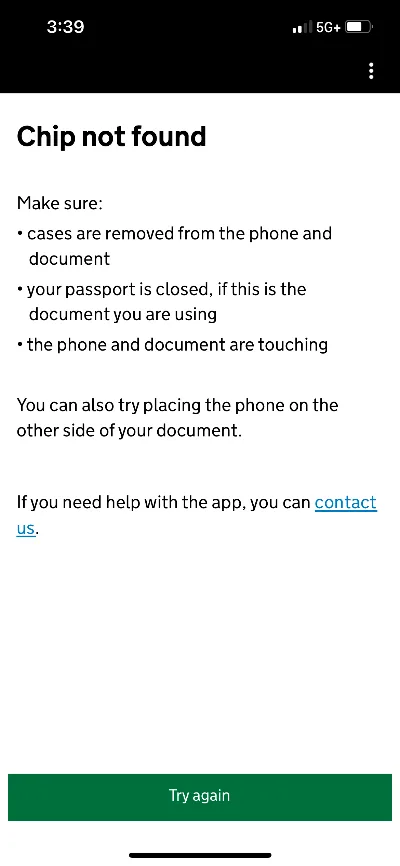
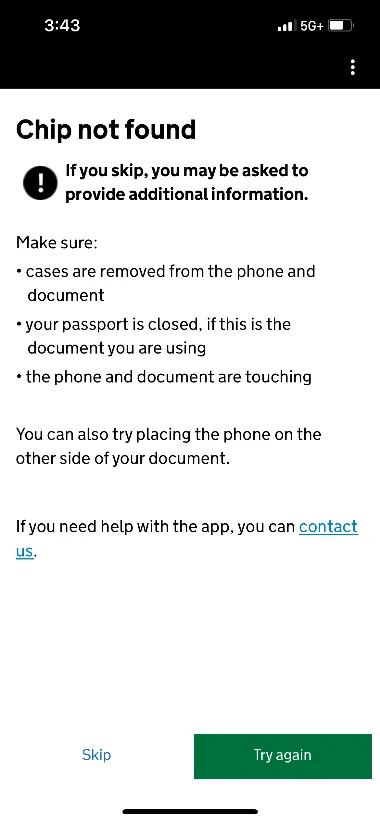
Next, the app reads the chip in your passport. Allow NFC access, take the passport and phone out of any cases, and place the phone on the passport, with the top edge of the phone at the middle of the passport. If your volume is up, you’ll hear a sound when the chip is found. If it isn’t found, slowly move the phone around.
If it still doesn’t work, you can continue without the chip. UK Visas and Immigration (UKVI) says this won’t affect the outcome of your application. The app then uses the details from the photo of the data page. Check each detail. If any don’t match your passport, your application may be delayed or denied.
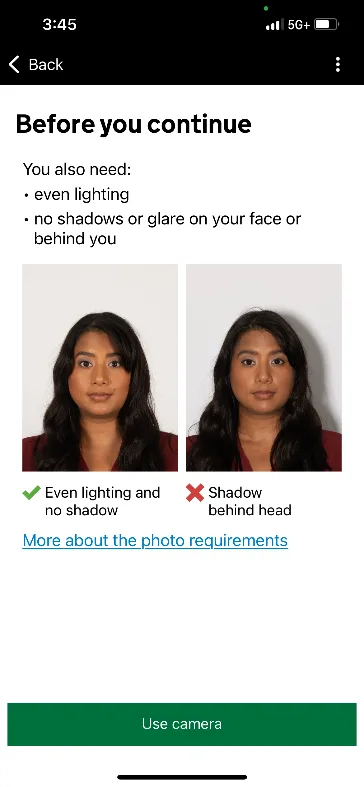
4. Face scan and photo
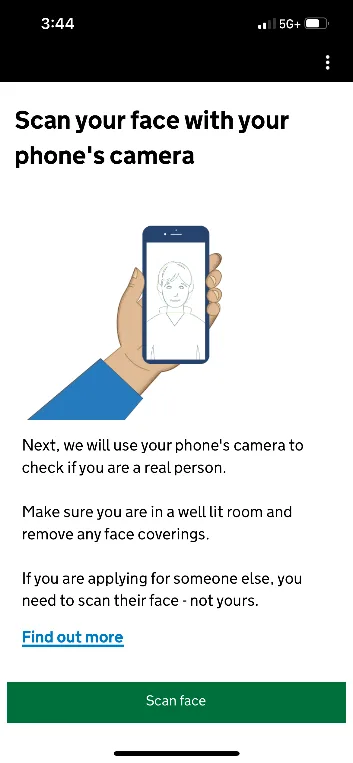
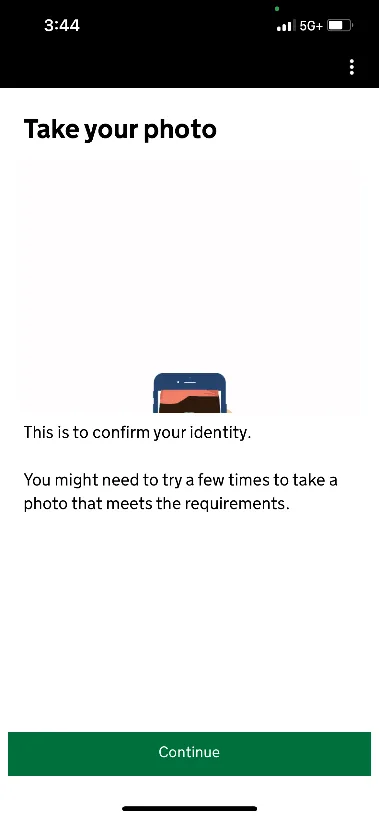
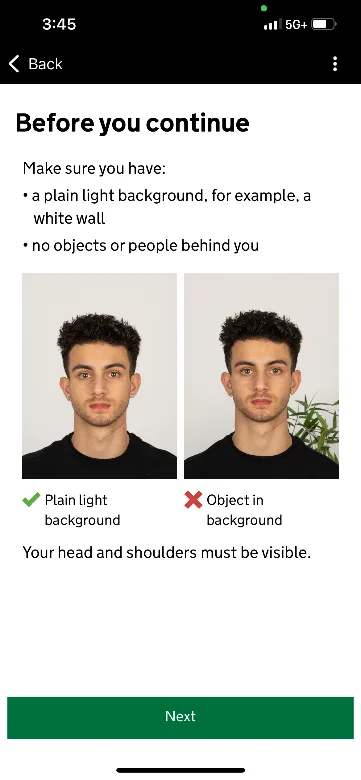
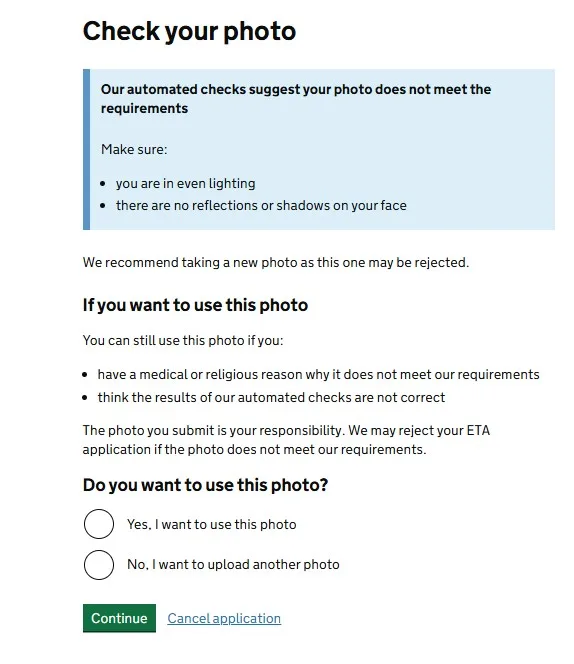
First, the app scans your face with the front camera to check that you’re a real person. Children under 10 skip this step. Then it takes a photo. If the photo doesn’t meet the rules, the app tells you, and you can retake it before you submit.
To get it right the first time: good light, no shadows, a plain light background, look straight at the camera, mouth closed, and no sunglasses. You can wear a head covering for religious or medical reasons.
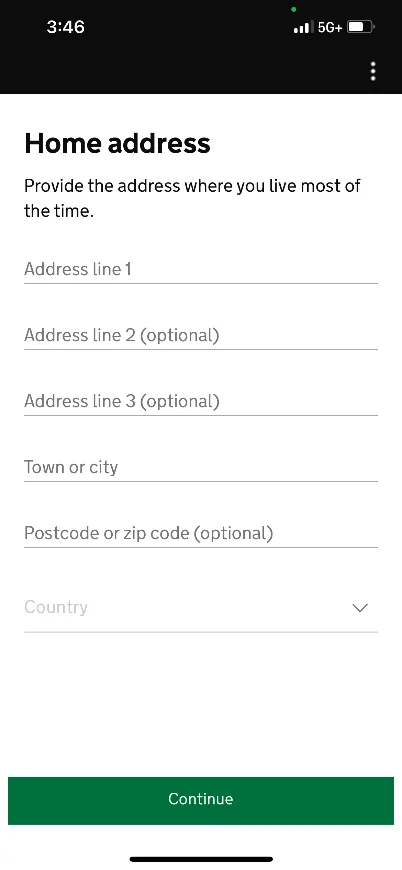
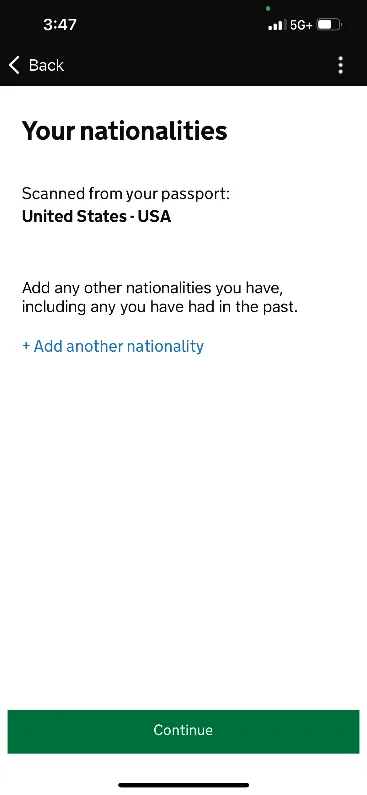
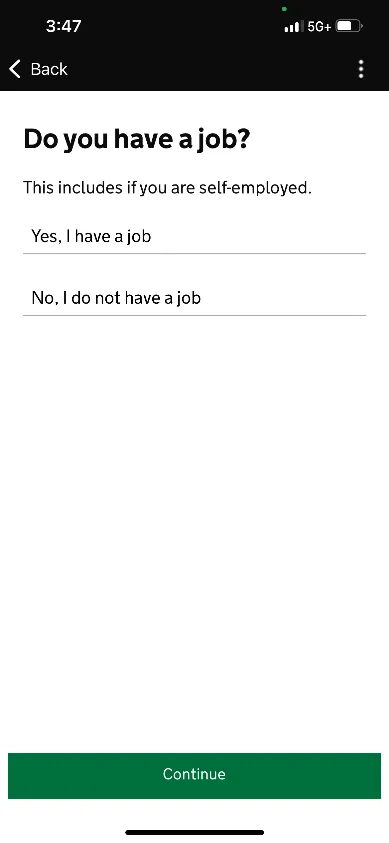
5. Address, nationality, and questions
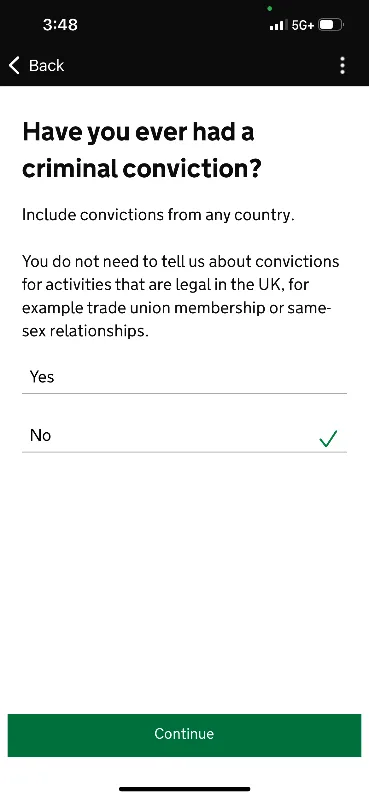
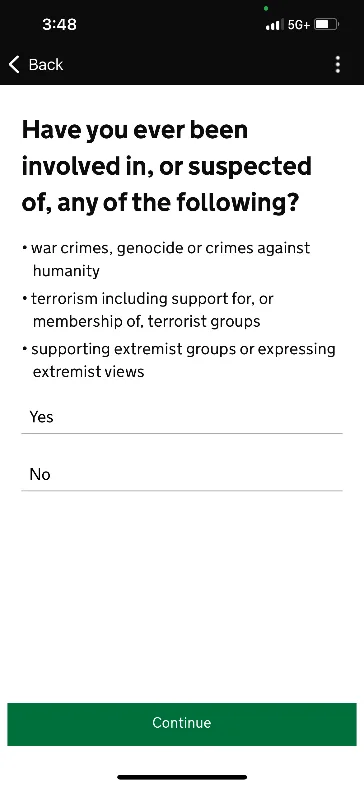
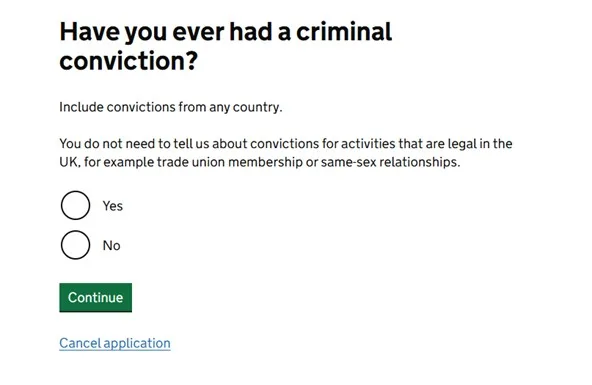
Enter your home address and confirm your nationality. Then answer the questions about your job, any other nationalities, and criminal convictions. Answer truthfully. A false answer or a missing detail is grounds for denial, now or on a future application. If you’ve been convicted, give the details: the offense (for example, theft, assault, or fraud), the date, and the sentence.
6. Review, declaration, and payment
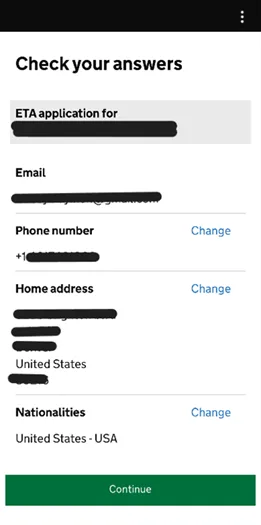
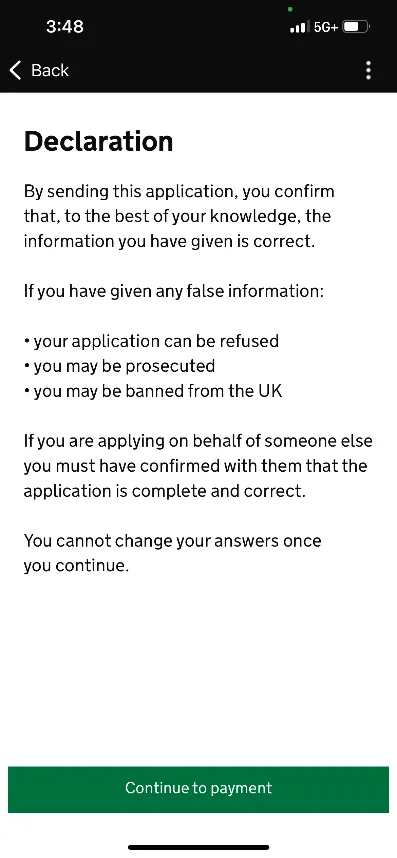
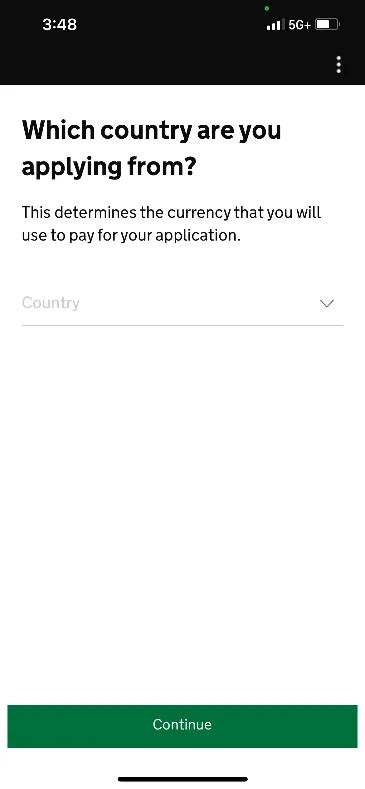
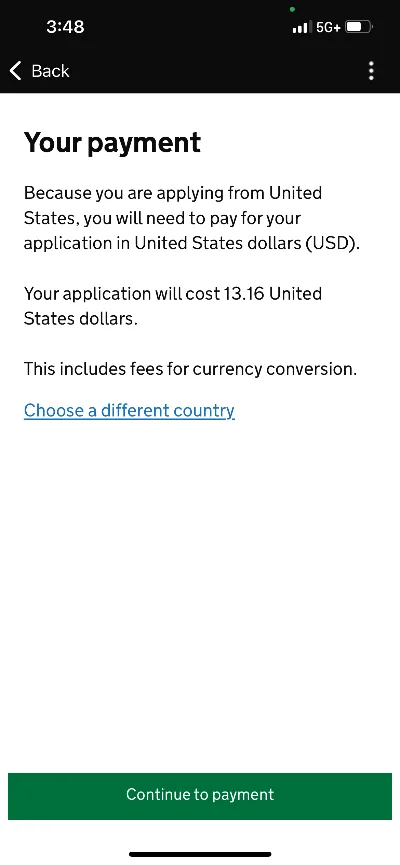
Read through your whole application again, especially your passport number, name, and email address. Then confirm the declaration and go to payment. The app shows the amount in the currency of the country you select, and you can change the country. Pay with a card, Apple Pay, or Google Pay. Depending on your bank, you may need to approve the payment with a code or in your banking app.
7. Application submitted
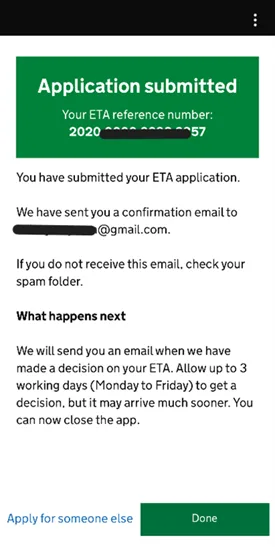
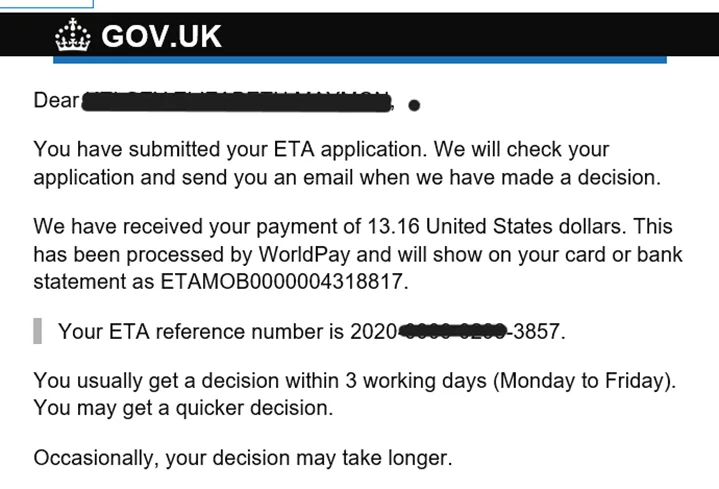
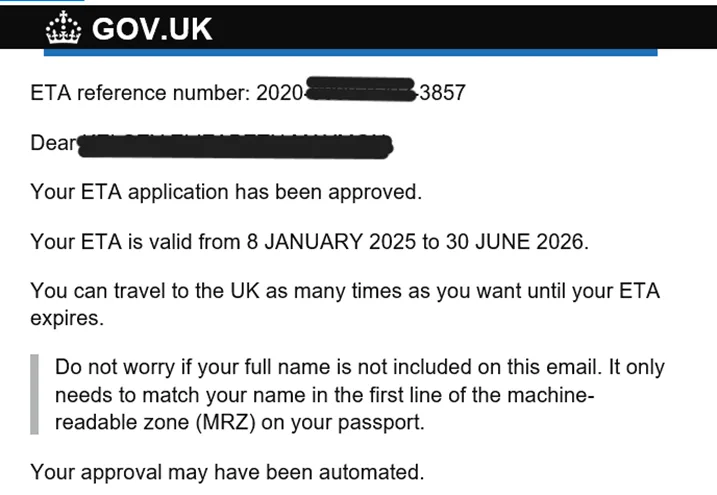
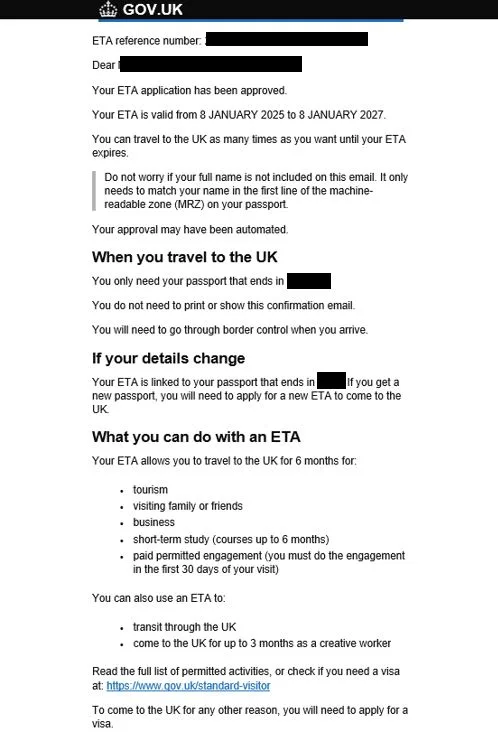
The app shows a confirmation, and you get a first email saying your application has been submitted, with your 16-digit ETA reference number. When a decision is made, you get a second email, which GOV.UK says also includes your reference number. You can delete the app once you’ve finished applying.
Applying on GOV.UK, step by step
1. Open the website and confirm your email
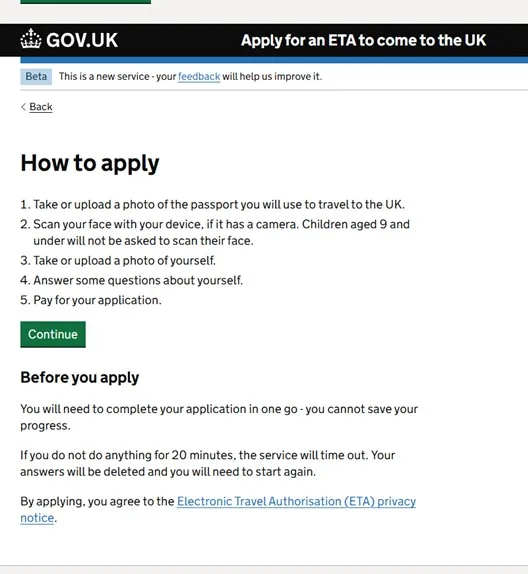
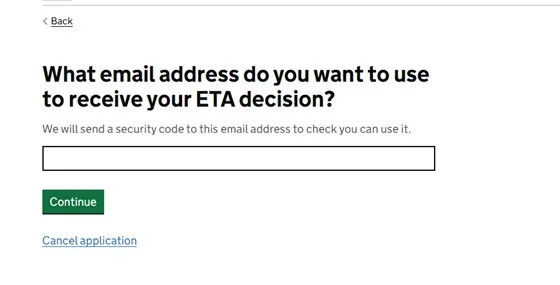
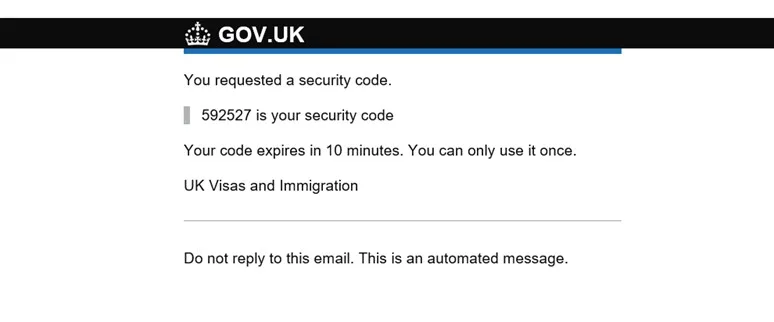
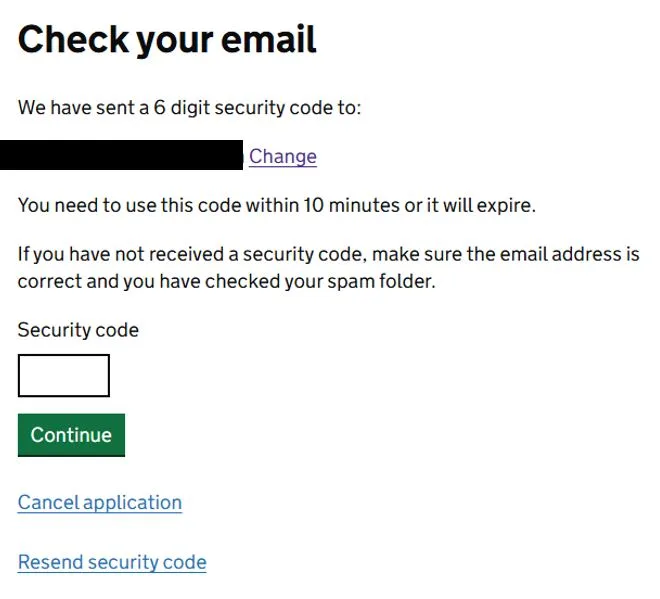
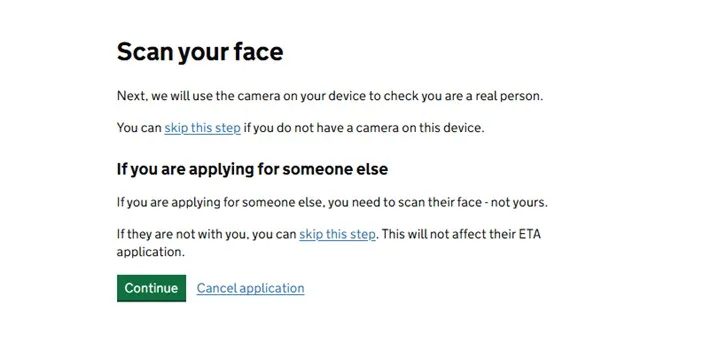
Go to gov.uk/eta, click Start now farther down the page, enter your email address, and then enter the code from the email.
2. Upload a photo of your passport
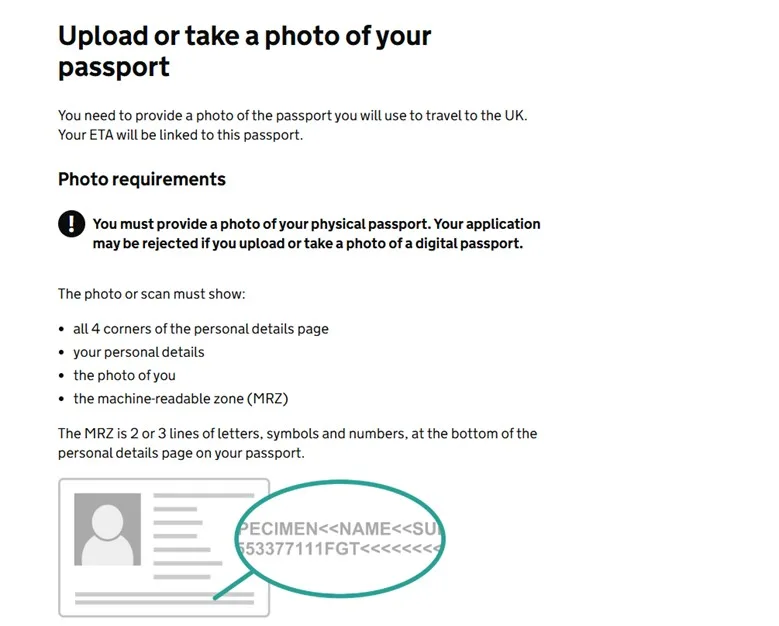
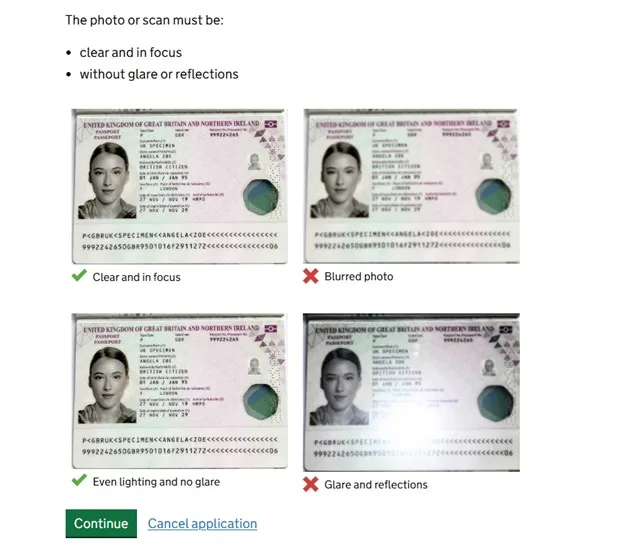
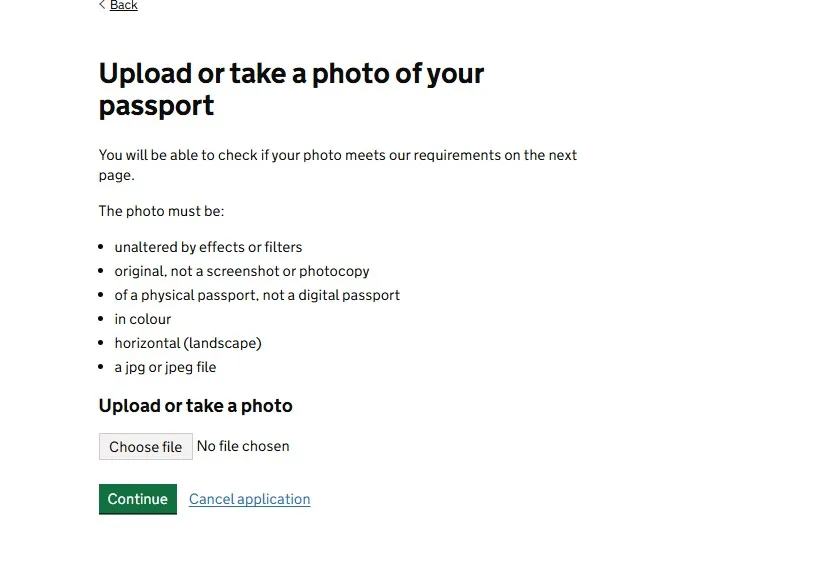
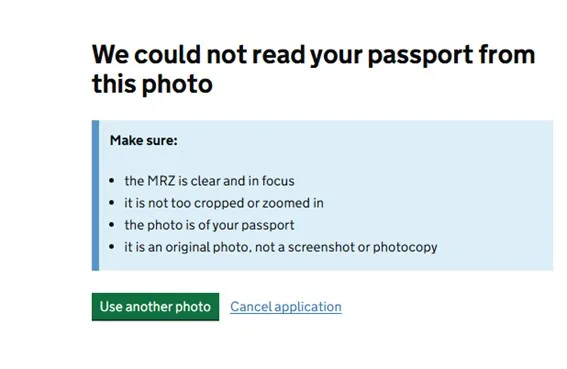
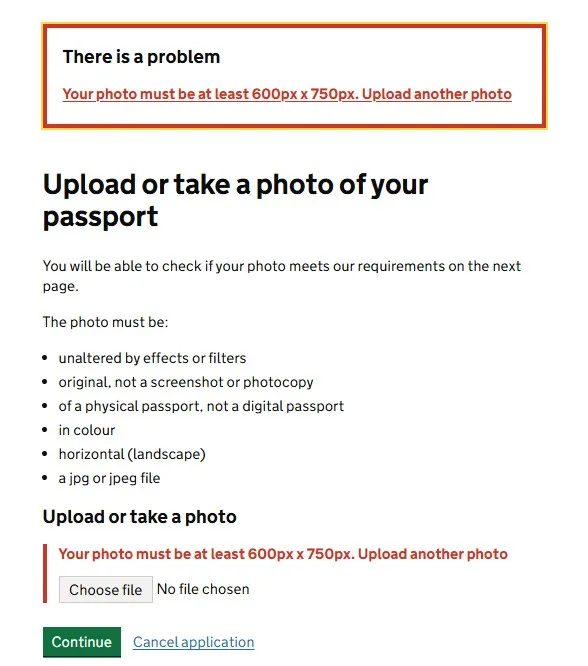
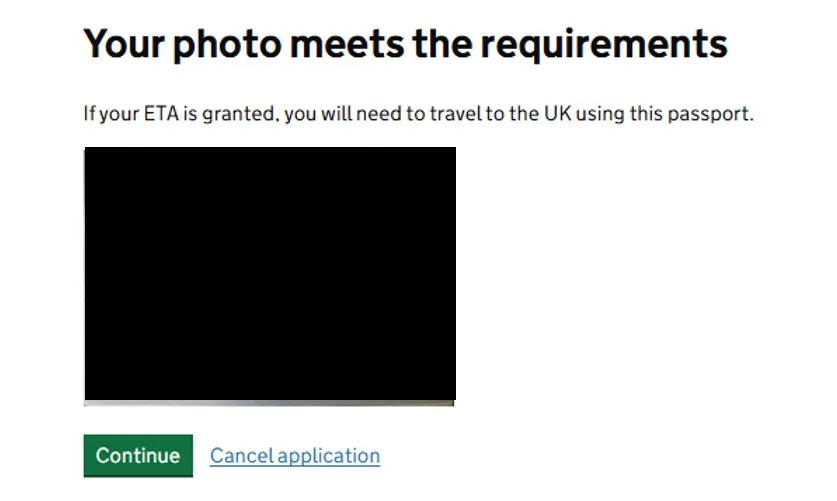
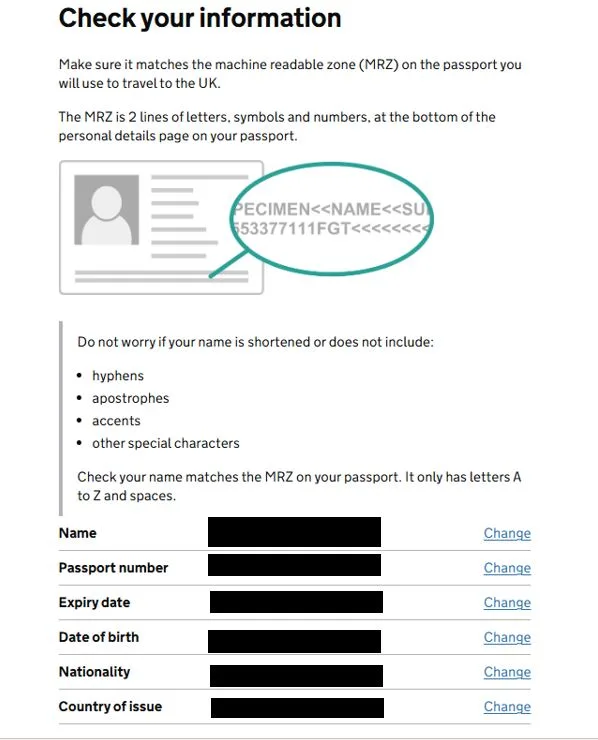
Take a photo of your passport’s data page, with the whole page in the frame, in focus, and without glare, and upload it. If the website says it’s unreadable or too small, retake it in better light or from closer up. Once it’s accepted, check the details it read. As the screen explains, it’s fine if your name is shortened or missing hyphens or accents: it needs to match the two lines at the bottom of the data page (the machine-readable zone), which use only the letters A to Z.
3. Upload a photo of your face
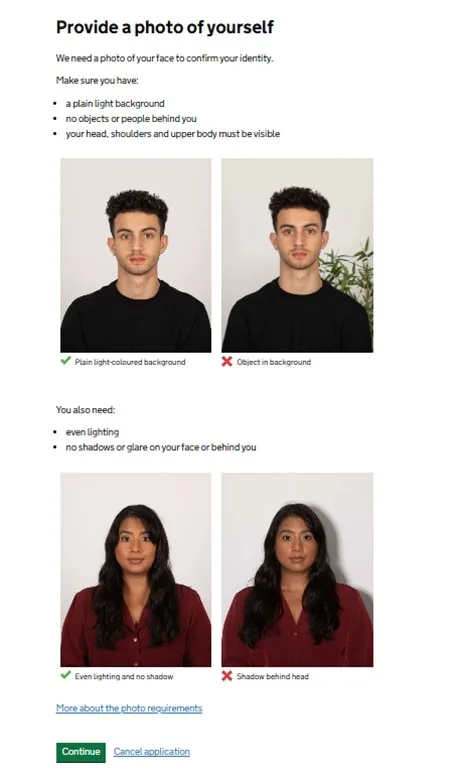
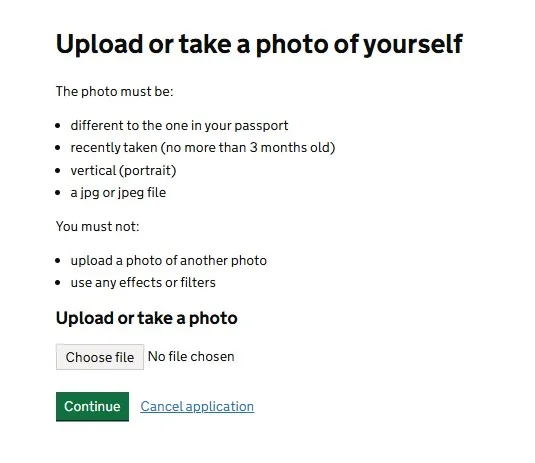
On a computer, there’s no live face scan. The website skips that step and asks you to upload a photo of your face. If it doesn’t meet the rules, your application may be delayed or denied. GOV.UK’s rules:
| Rule | |
|---|---|
| File | JPG, at least 600 × 750 pixels, between 50 KB and 6 MB, portrait orientation |
| Background | Plain and light-colored, with no other people or objects |
| Face | Facing forward, looking at the camera, mouth closed, eyes open, no hair over your eyes, no shadows |
| Framing | Head, shoulders, and upper body |
| Glasses | Better without; never sunglasses or glare that hides your eyes |
| Not allowed | Edited photos or filters, mirrored images, a photo of a printed photo, or your passport photo |
It’s easiest if someone else takes the photo. Children must be alone in the photo, with no pacifier or toys. Children under 6 don’t have to look straight at the camera, and babies under 1 can have their eyes closed. Lay them on a plain light-colored sheet and take the photo from above.
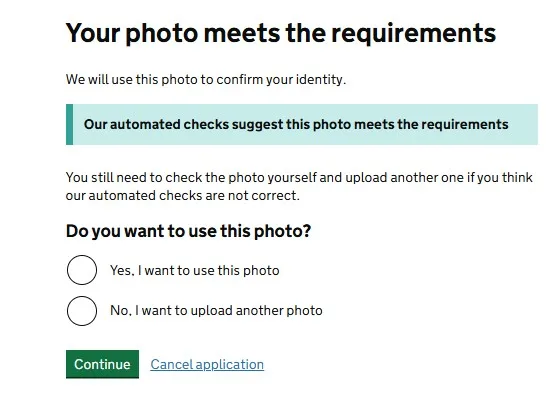
4. Phone number, address, and questions
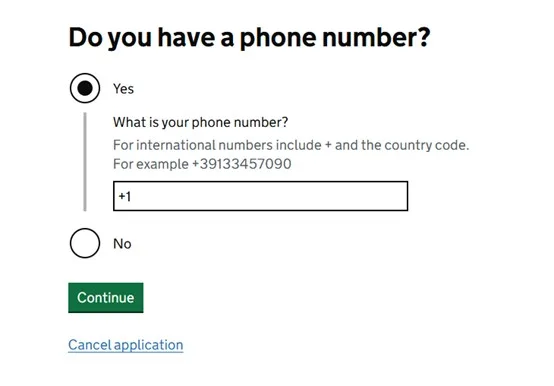
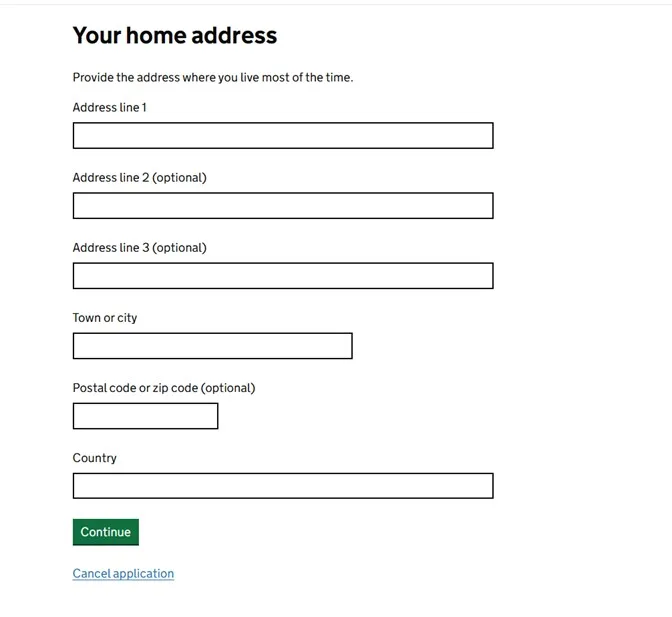
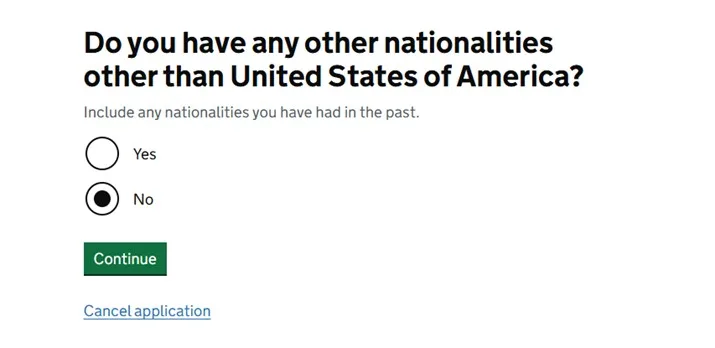
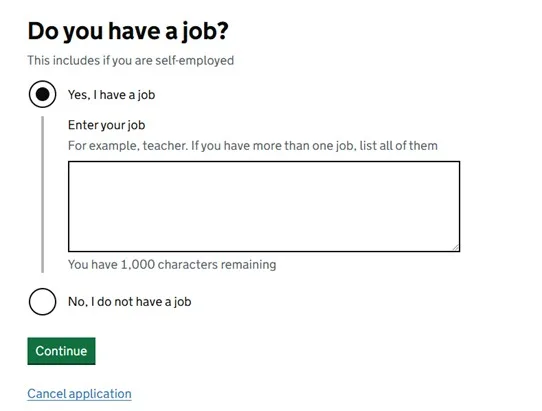
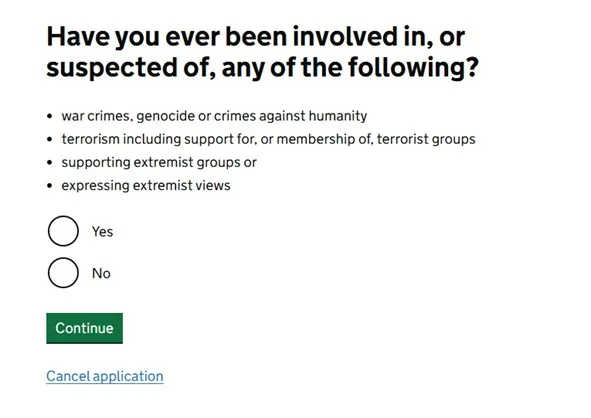
Enter your phone number and address, and answer the questions about your job, past travel, and criminal convictions, as in the app: truthfully, and with the offense, date, and sentence if you’ve been convicted.
5. Review and pay
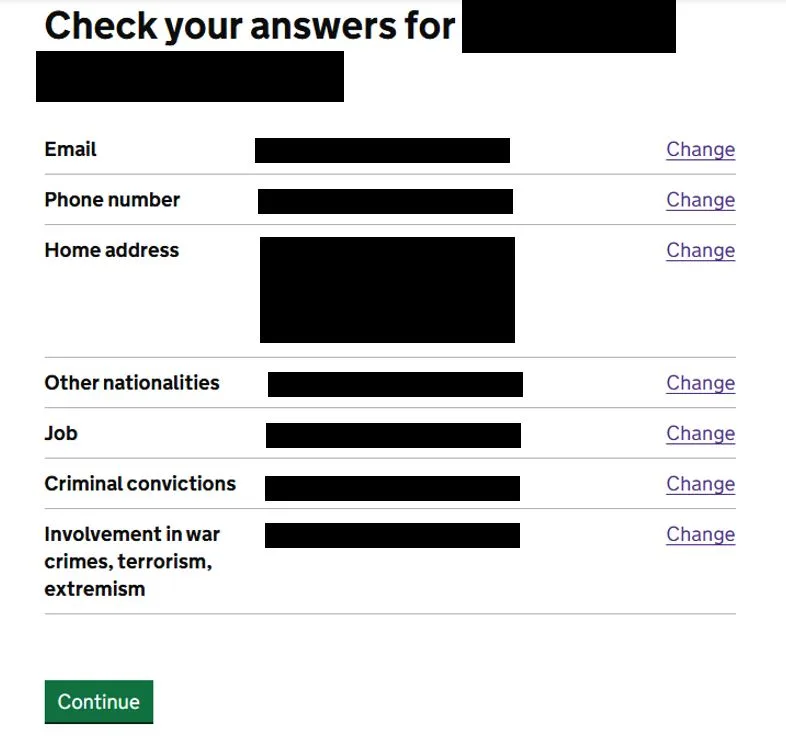
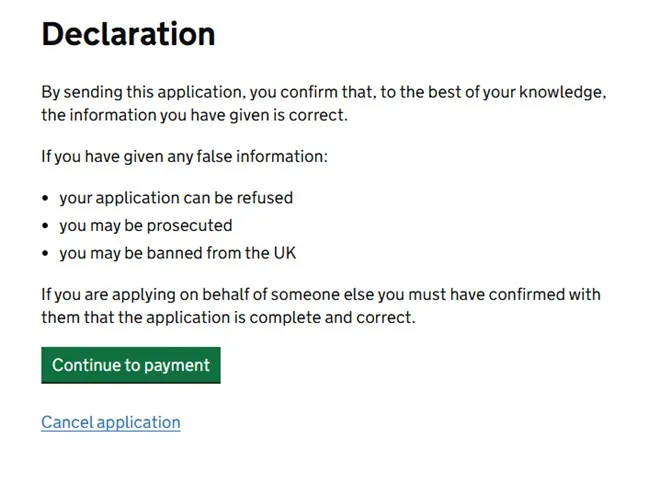
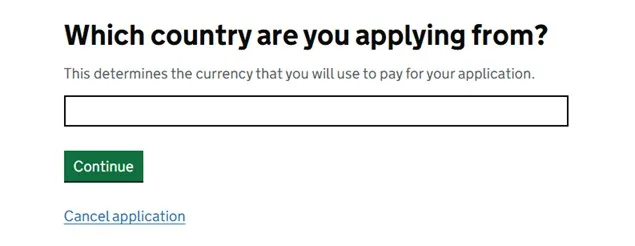
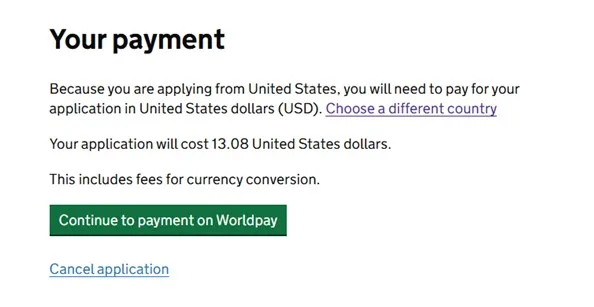
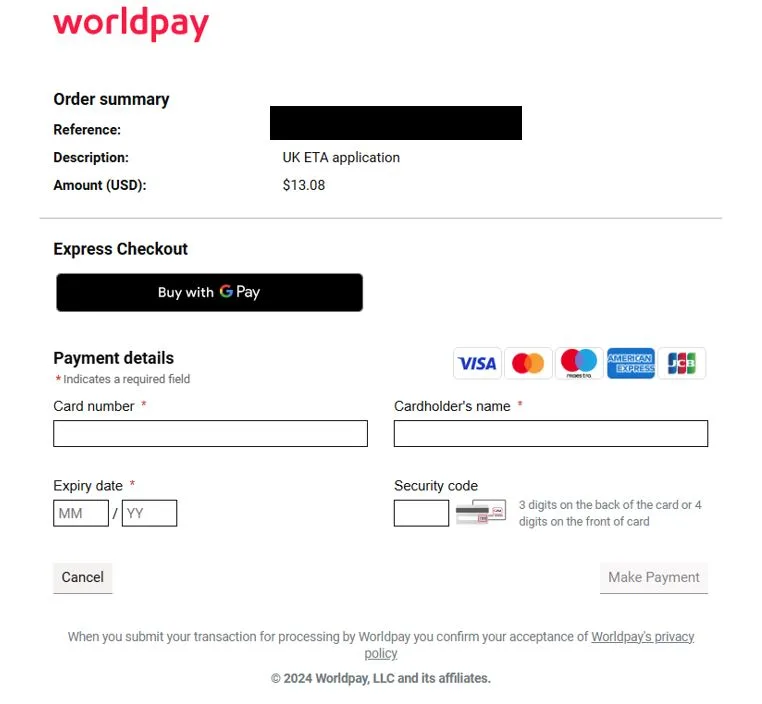
Read through your whole application again, go to payment, choose your currency, and check the amount: it’s now £20 (the screenshot still shows the old fee). Enter your card details and confirm.
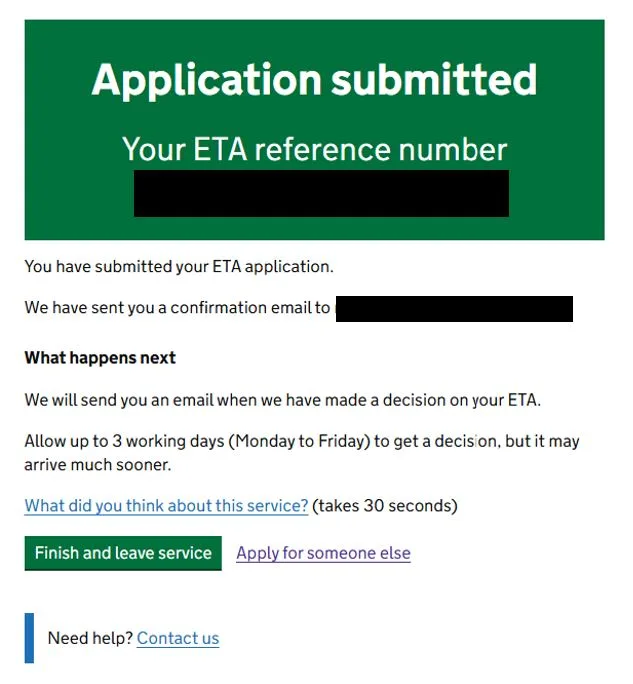
6. Application submitted
The confirmation appears on screen. Once your ETA is approved, you get the email with your ETA reference number.
After you apply
- Wait for the approval email before you travel. Applying isn’t enough: without an approved ETA, your airline may deny you boarding.
- No answer after 3 business days? Check your spam folder. If it isn’t there, contact UKVI through its webchat with the 16-digit number from your confirmation email. If you applied for several people, the decisions may come at different times.
- Keep the email with your 16-digit number. You don’t need to print anything: the ETA is linked to your passport, and at the border you only show your passport.
- Travel with the passport you applied with. If you get a new passport, including after a loss, you need a new ETA.
Check your ETA and when it expires
GOV.UK’s ETA checker shows whether you have an ETA and when it expires. You need the passport you applied with. It doesn’t show the status of an application that’s still pending. If you applied through another website, you can use it to check that an ETA was actually issued to you.
If you made a mistake
You can’t correct an application once it’s submitted. You need to apply again and pay again. Do it as soon as you notice, especially if the mistake is in your passport number, name, or date of birth.
If your ETA is denied
The fee is nonrefundable, and GOV.UK says you’ll need to apply again (and pay again). If nothing has changed, your new application will probably be denied too. Your other option is the Standard Visitor visa, which costs £1351 and is a separate application. A denied ETA isn’t a ban on entering the UK.
Under the UK’s immigration rules, an ETA is denied if, among other reasons, you:
- were convicted of an offense and sentenced to 12 months or more in prison, including a suspended sentence;
- were convicted of any offense in the last 12 months;
- overstayed or broke the conditions of a previous visit as an adult (unless you overstayed by 30 days or less and left voluntarily);
- gave false information or left something out, in this or a previous application;
- were denied a visa or entry as a visitor before, unless you’ve been granted another permission since;
- are subject to a deportation order or an entry ban.
That’s why GOV.UK suggests applying for a Standard Visitor visa from the start if you have a criminal record or have been denied entry to the UK before.
An approved ETA can also be canceled for the same reasons, or if you owe the UK’s National Health Service (NHS) £500 or more.
Layovers in the UK
- If you go through border control (for example, to collect your bags and check them again), you need an ETA.
- If you stay airside, you don’t.
- If you’re not sure, ask your airline. It decides whether you can board.
Problems and help
- The app won’t scan your face or passport: continue without that step. UKVI says it won’t affect the outcome. If the app still doesn’t work, apply on the website.
- Your payment won’t go through: contact UKVI through its webchat. UKVI can’t help with ETA questions over the phone.
- You applied on another website and didn’t get anything: contact that website, not the UK government. Use the ETA checker to see whether an ETA exists in your name.
- You were denied entry at the border: the State Department says it can’t help with your UK visa application or press for your admission into the UK.
Common mistakes
- Traveling with a different passport from the one on your application, such as a new one. The ETA doesn’t transfer to the new passport.
- Boarding without a decision. Applying isn’t enough.
- Getting one ETA for the whole family. Each person needs their own, including babies.
- Submitting twice because the email hasn’t arrived. Check your spam folder first.
- Unreadable photos. The passport photo must show the whole page, in focus and without glare. The photo of your face needs good light, a plain background, and nothing covering your face.
- A typo in your email address. You won’t get the code or the decision.
- Leaving out a conviction. It’s grounds for denial, now and on future applications.
- Applying when you’re also British or Irish. You can’t get an ETA.
- Working or staying longer than 6 months. For that, you need a visa.
- Paying on a copycat site you thought was the official one. If you’re charged more than £20, you’re not on GOV.UK or in the official app.
Frequently asked questions
Do U.S. citizens need an ETA for the UK?
Yes. U.S. citizens need an ETA for tourism, family visits, business trips, conferences, and short courses of up to 6 months, and to change planes in the UK if they go through border control. The U.S. Embassy in London says you may be denied boarding or entry without one.
What’s the official website for the UK ETA?
You can apply only on GOV.UK, the UK government’s website (gov.uk/eta), or in the Home Office’s UK ETA app. Any website that charges more isn’t the official one.
How much does the UK ETA cost?
£20 per person in the app or on GOV.UK, including for children. It’s nonrefundable, even if your ETA is denied.
How much is that in dollars?
It depends on the exchange rate on the day you pay. The app and the website let you choose the currency you pay in, and your bank may add a foreign transaction fee.
Why do some websites charge much more?
They’re private companies that add their own fee to the government fee, and they won’t get you a faster decision. GOV.UK says other websites may charge more and warns against websites that imitate government services. This guide shows you how to apply yourself.
How long does it take to get a UK ETA?
Usually within a day. GOV.UK says to allow up to 3 business days (Monday through Friday), but the decision often comes much sooner.
How long before my trip should I apply?
GOV.UK says to allow up to 3 business days for a decision, so apply at least that far ahead. If you fly out on a Monday, apply the week before.
How long is the UK ETA valid?
2 years, multiple entries. If your passport expires sooner, the ETA ends with it. While it’s valid, you can visit the UK for up to 6 months at a time.
Is the ETA a visa?
No. It’s an electronic travel authorization for visa-free visits. To stay longer than 6 months, work in the UK, or get married there, you need a visa.
What happens if I travel without an ETA?
The U.S. Embassy in London says your airline may deny you boarding, or you may not be allowed to enter the UK.
Do I need an ETA for a layover in London?
Only if you go through UK border control, which you also have to do if you collect your bags and check them again for your next flight. If you stay airside, you don’t. Ask your airline if you’re not sure.
Does the ETA cover Scotland, Northern Ireland, or Ireland?
It covers the whole UK—England, Scotland, Wales, and Northern Ireland—plus Jersey, Guernsey, and the Isle of Man. It doesn’t cover Ireland, which isn’t part of the UK and has its own entry rules.
Do I need to print my ETA?
No. The ETA is linked to your passport. Keep the email with your 16-digit number, but at the border you only show your passport.
How do I check whether I have an ETA and when it expires, without the email?
Use GOV.UK’s ETA checker with the passport you applied with.
I got a new passport. Do I need a new ETA?
Yes. The ETA is linked to the passport on your application. With a new passport, you apply for a new ETA.
Do children and babies need a UK ETA?
Yes, each child needs their own. You can apply for your child in the app or on the website, with a photo of the child and a parent’s or guardian’s contact details.
My child is traveling alone. What do they need?
Besides a passport and an ETA, they may need a letter from a parent or guardian, GOV.UK says. The letter should include the parent’s or guardian’s contact details and their consent to the trip. It should also give the name, date of birth, address, and relationship of the person the child is staying with.
Can I apply for an ETA for someone else?
Yes. In the app, the person needs to be with you, because the app scans their face. If they aren’t, apply on the website with a photo of their passport and a photo of their face.
I’m a dual U.S. and UK citizen. Do I need an ETA?
You can’t get one. Travel with your British passport, or with your U.S. passport and a certificate of entitlement to the right of abode in the UK. The same goes for dual U.S. and Irish citizens, who travel with their Irish passport.
I have a green card. Do I need a UK ETA?
It depends on the passport you travel with, not on your green card. If your nationality is on GOV.UK’s list, you need an ETA. If it isn’t, you may need a visa. Living in the U.S. doesn’t exempt you.
Can I work or study with a UK ETA?
You can’t do paid or unpaid work, except for what visitors are allowed to do, such as business meetings or a talk you’ve been invited to give. You can take a course of up to 6 months, such as a language course.
Can I get an ETA if I have a criminal record?
You can apply, but your ETA will be denied if you were sentenced to 12 months or more in prison, or if you were convicted of any offense in the last 12 months. In those cases, GOV.UK suggests applying for a Standard Visitor visa instead.
What’s the difference between the UK ETA, ESTA, and ETIAS?
They work the same way, for different places: the ETA for the UK, ESTA for visitors to the U.S., and ETIAS for 30 European countries, which isn’t in operation yet. As a U.S. citizen, you don’t need ESTA. Each one has its own official website.
Does the ETA guarantee entry to the UK?
No. You still go through border control when you arrive, and border officials make the final decision on entry.
Do I need a visa service?
No. You can apply directly in the app or on GOV.UK. A visa service fills out the application for you, and its fee is extra. You can compare what visa services charge on the UK visa page.
Apply yourself or use a visa service? Compare the government fee with what each visa service charges, online or in person, on the United Kingdom visa page.
Sources
Where the information in this guide comes from, with the date we last checked it: official websites for fees and rules, and each visa service’s website or Google Maps listing when we give its prices or reviews. The numbers match the superscript numbers in the text.
- 1.GOV.UK: Home Office immigration and nationality fees (October 8, 2026). gov.uk · checked on November 12, 2026
- 2.GOV.UK: Apply for an ETA. gov.uk · checked on November 12, 2026
- 3.GOV.UK: Get an electronic travel authorisation (ETA) to visit the UK (who needs one, what it allows, fee, and after you apply). gov.uk · checked on November 16, 2026
- 4.GOV.UK: Using the UK ETA app. gov.uk · checked on November 16, 2026
- 5.GOV.UK: Take a photo of your face for a visa application or permission (photo rules). gov.uk · checked on November 16, 2026
- 6.GOV.UK: Check your electronic travel authorisation (ETA). gov.uk · checked on November 16, 2026
- 7.GOV.UK: Contact UK Visas and Immigration, electronic travel authorisation (ETA). gov.uk · checked on November 16, 2026
- 8.GOV.UK: Check if you can get an electronic travel authorisation (ETA) (nationalities). gov.uk · checked on November 16, 2026
- 9.GOV.UK: Check if you need a UK visa (U.S. passport, tourism). gov.uk · checked on November 16, 2026
- 10.GOV.UK: Immigration Rules, Appendix Electronic Travel Authorisation (validity, refusal, and cancellation). gov.uk · checked on November 16, 2026
- 11.U.S. Embassy and Consulates in the United Kingdom: Important changes to UK entry requirements as of February 25, 2026. uk.usembassy.gov · checked on November 16, 2026
- 12.U.S. Department of State: United Kingdom Country Information (entry, exit, and visa requirements). travel.state.gov · checked on November 16, 2026